Product Design・Web App・Agency Project
Workflow Hub
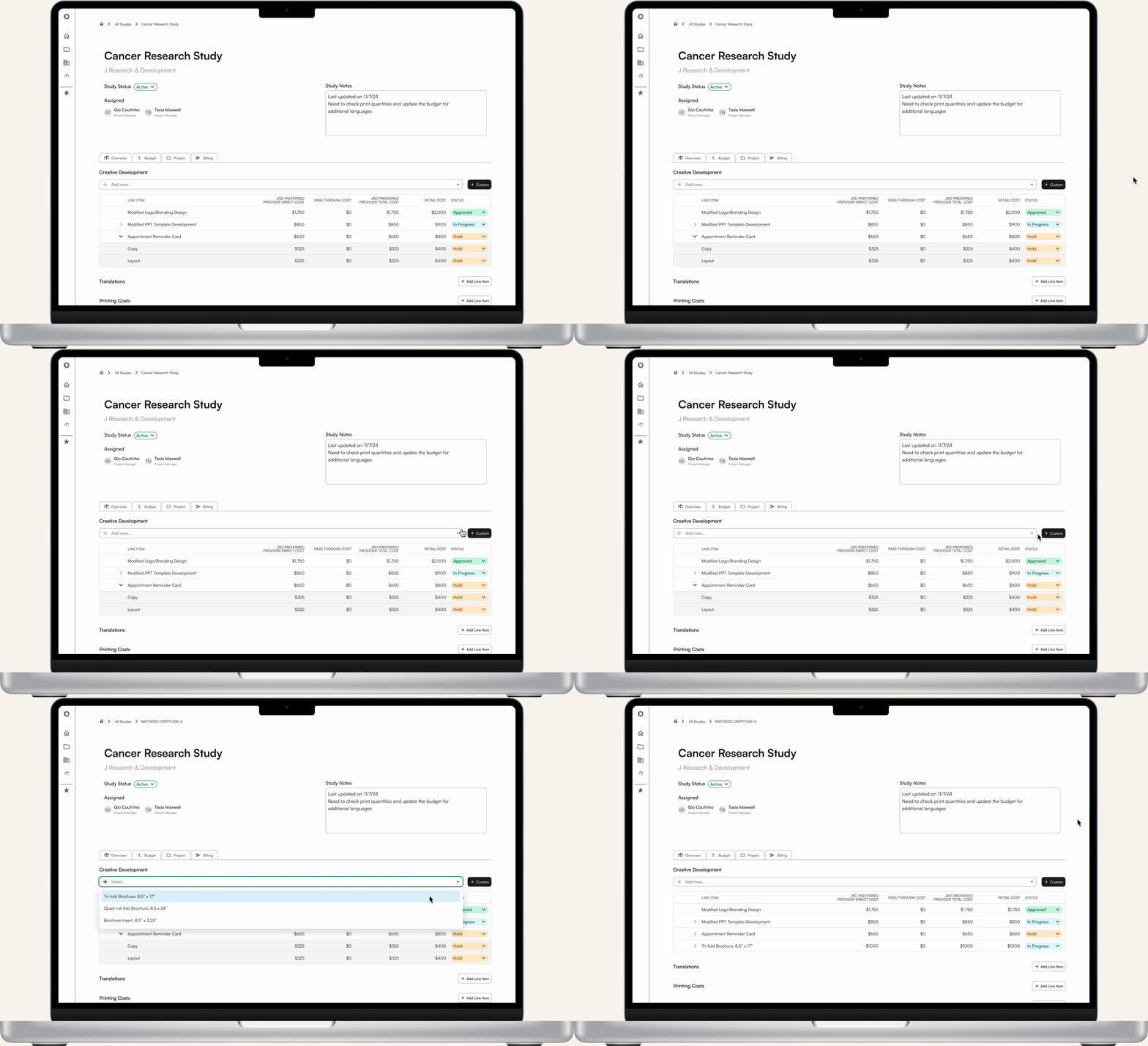
Overview
About the Project
The Workflow Hub is an internal web-based application designed to streamline company workflows by reducing manual work, improving cross-team visibility, and unifying information across Business Development, Project Management, and Billing teams.
Problem
At QD Solutions, the workflows across our Business Development, Project Management, and Billing teams was:
Inefficient: team members would spend time searching for previous information to manually duplicate, or significant time on repetitive tasking
Redundant: the same information was copy-and-pasted across multiple excel documents, with little difference between documents
Error-prone: due to the manual nature of the existing workflows, inconsistencies could be introduced across documents, leading to confusion down the line
Constraints + Considerations
The workflow hub had several key challenges, including:
Complex, exception-heavy workflows: while standard processes existed, at each step in a team’s workflow, there were almost always edge cases. Our team had to design a flexible system with these scenarios in mind.
Knowledge gap: as a designer, I needed to deeply understand the business operations that I hadn’t previously worked within.
Tool fragmentation: Existing workflows utilized a variety of tools, including Asana, Excel spreadsheets, Quickbooks, and other internal documents. We would need to figure out how to unite and present this information in one platform.
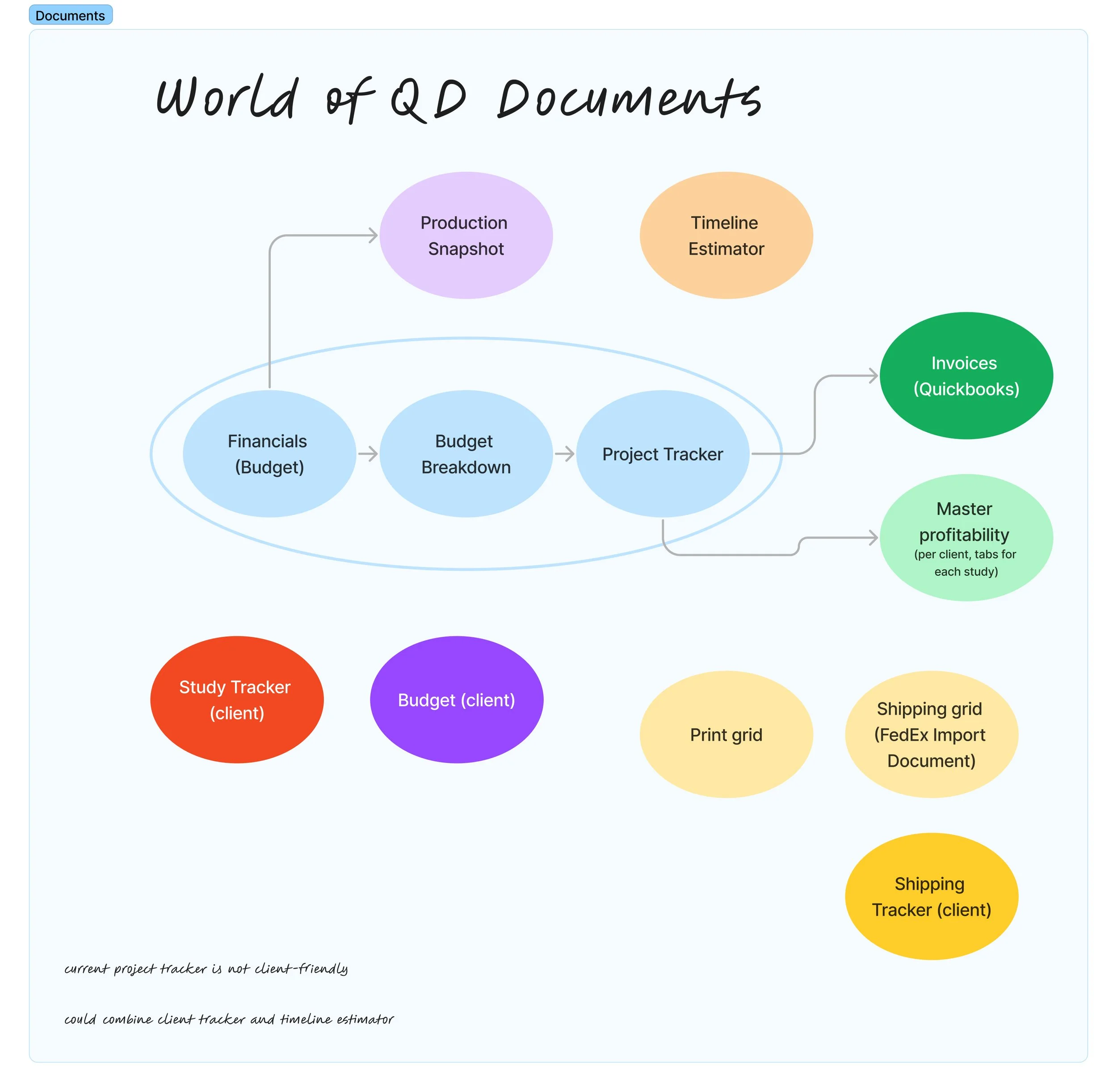
Early on in this project, I mapped out the documents our teams currently used throughout their working processes, studying how they were connected and duplicated, as well as the intended user for each one.
Solution
I approached improving our internal workflows with short-term and long-term impact in mind. In the short term, I led our team in updating our Asana tasking system, leading to immediate time savings for our Office Manager and Project Managers. For the long term, we sought to create a custom system, where information would be able to smoothly flow from the earliest part of our team’s process (budget proposals) through to the final stages (billing). We designed a bespoke web-based app, which would mirror the workflows our team already had in place, but reduce the manual input needed across each step of the process.
Role
Product Design Lead
Team:
Copywriter
Developers
Creative Director
Methods + Tools
Internal Interviews
Process Mapping
Wireframes
Figma Prototypes
User Flows
Screen Flows
Figma
FigJam
Paper + pen
Research
Internal Interviews
After initial stakeholder interviews with company leadership to help define the goals and scope of this project, I sought to familiarize myself with our company’s workflows. If I wanted to help our teams work smoothly, I needed to understand the nitty-gritty of what they did. I interviewed multiple members from each of the teams we were working with (Business Development, Project Management, and Billing). After talking with our PMs, I realized there were several key parts of the company’s workflow that relied on the VP of Project Management. I reached out to them to discuss the parts of the process they were taking on, which led to some impactful insights.
Process Mapping
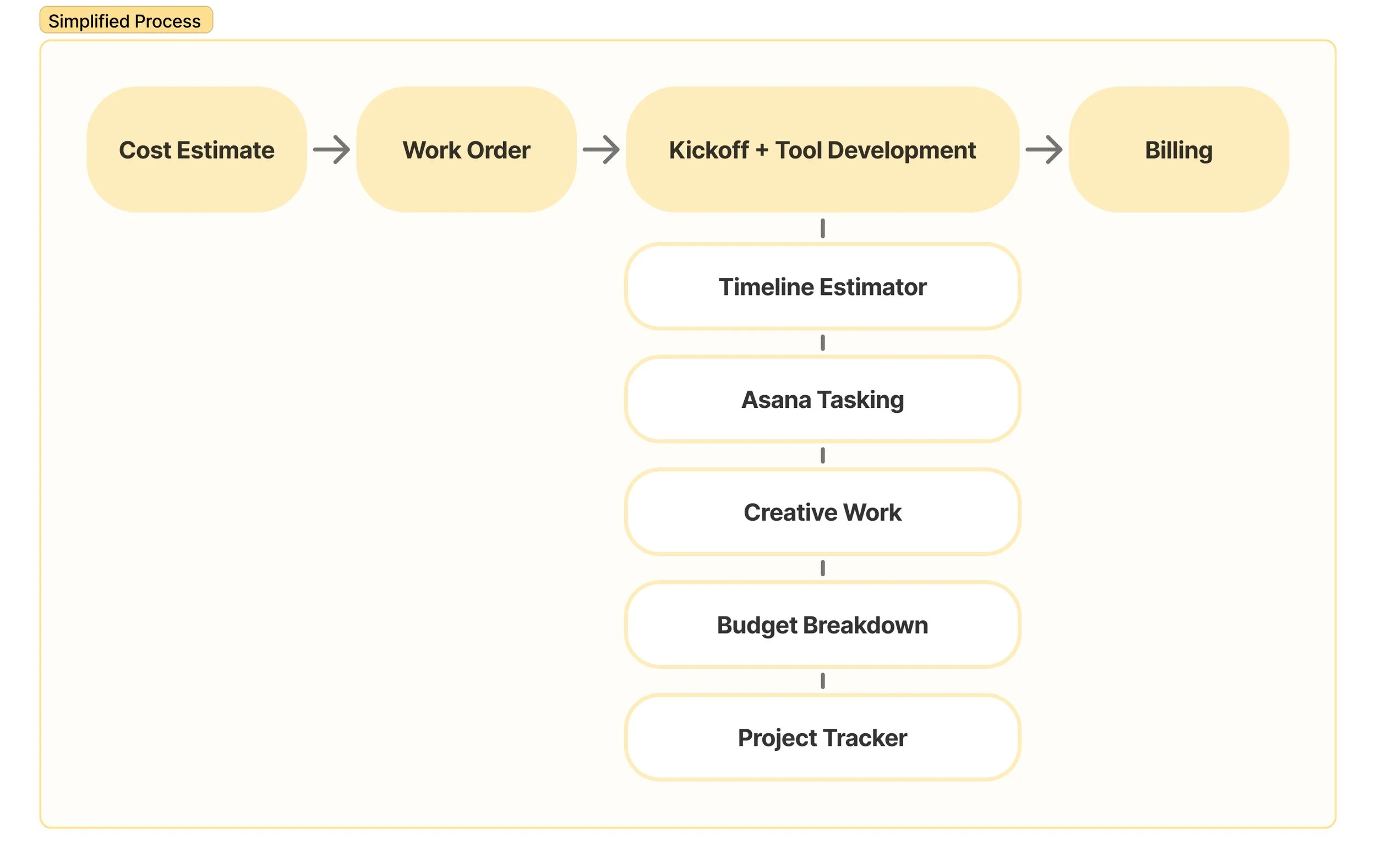
Using the notes from each set of interviews, I created process maps. These helped me identify the key steps in our team’s processes. I broke the phases down into: 1. Cost Estimate, 2. Work Order, 3. Kickoff and Tool Development, and 4. Billing. The Kickoff and Tool Development phase had quite a few sub-flows within, all happening simultaneously.
Insights
Looking at the maps I’d created, and pairing that with our interview notes, I uncovered multiple bottlenecks within the company’s current internal processes.
Asana tasking bottleneck: before work could begin on designing the client’s requested materials, PMs would need to create a set of Asana tasks. Though there were standard formats and processes for these tasks, there were no templates. PMs would often spend 30 minutes to an hour to create comprehensive, detailed tasks before work could begin.
Budget proposal bottleneck: The Business Development team had a long list of all of the tools the agency would offer to clients, with pricing and specs, but oftentimes one-off tools might not be added to this parent list. If they wanted to add a similar offering to a new proposal, the team would have to try to recall which proposal it had originally been added to, spending time searching through past spreadsheets, and not always finding what they were looking for.
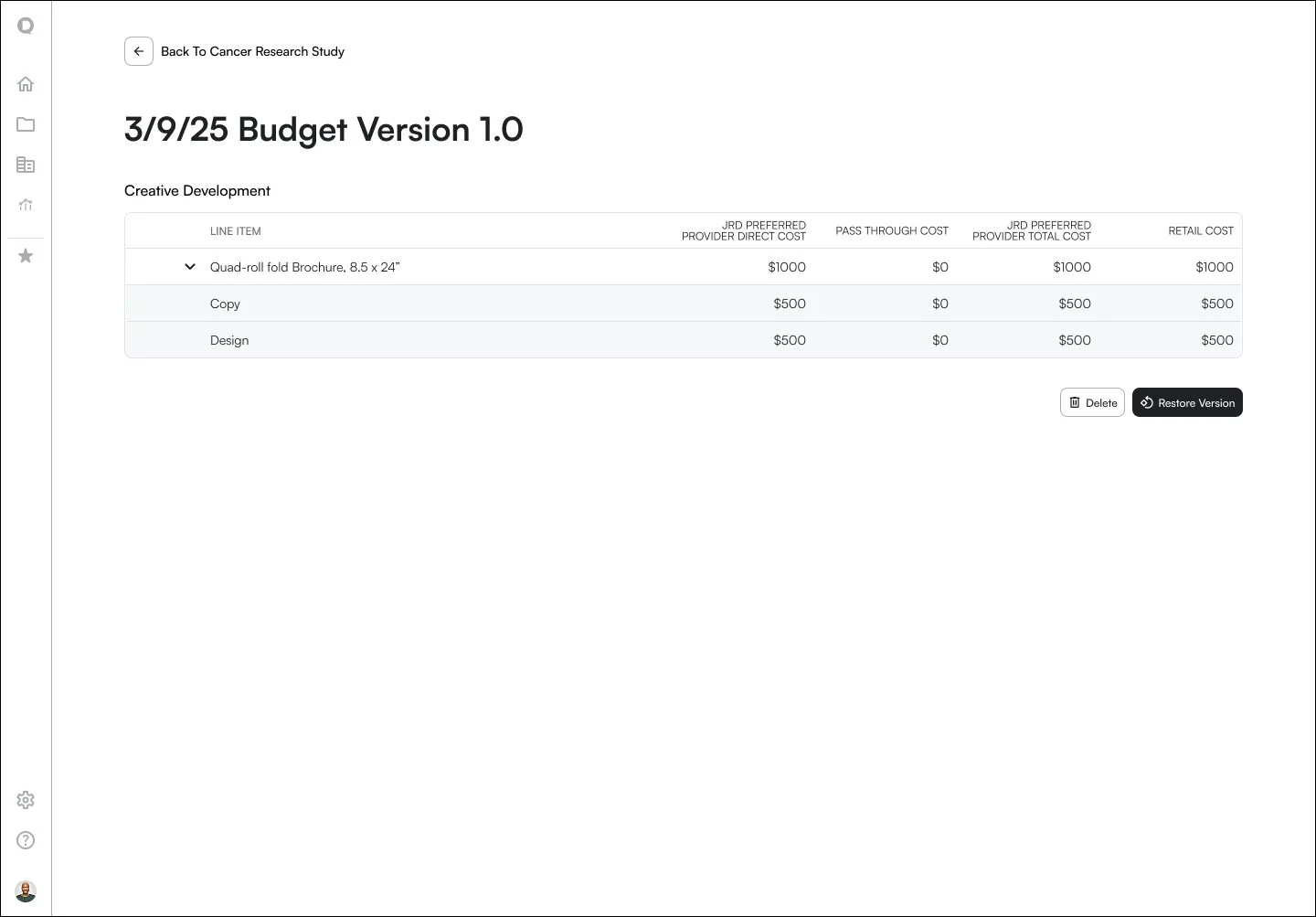
Budget breakdown bottleneck: When a budget was created, it would include the pricing for each individual tool (e.g. a brochure for $1,000). However, the costs for a single tool might be broken up into multiple parts (e.g. brochure copywriting $500, brochure design $500). The team’s VP would need to go through each budget after it was approved to manually enter these broken-down costs into a new spreadsheet, which could take up to 2 hours. This step had to be done before billing could occur, sometimes causing delays.
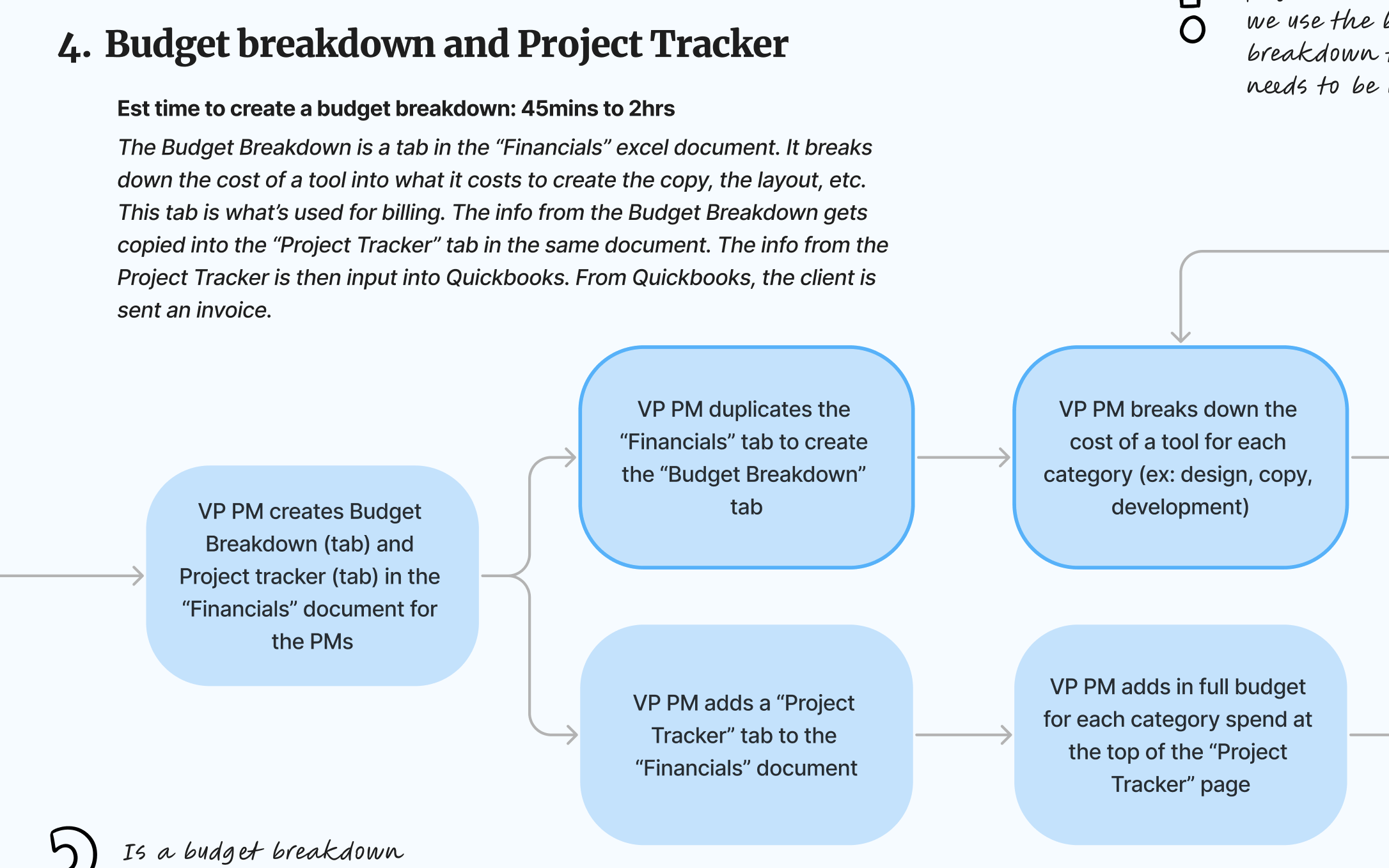
Snippet of the process map for the Budget Breakdown section. Steps where bottlenecks were identified have an additional blue outline around each box.
Aside from the bottlenecks, one of the biggest things that stood out to me was how many documents shared the same information. This info was needed across all teams, but throughout different parts of their process. I wanted to come up with an easier way for team members to utilize the information they needed, without them having to dig through multiple documents to find it.
To best approach these inefficiencies, I proposed tackling the Asana tasking bottleneck as a quick, easy win. After addressing Asana, we would design an internal system to help ensure a smooth workflow from start to finish.
Design
Immediate Impact: Asana Workflow
To quickly reduce manual work and unblock teams, I worked with our copywriter to create a new approach for managing tasks within Asana.
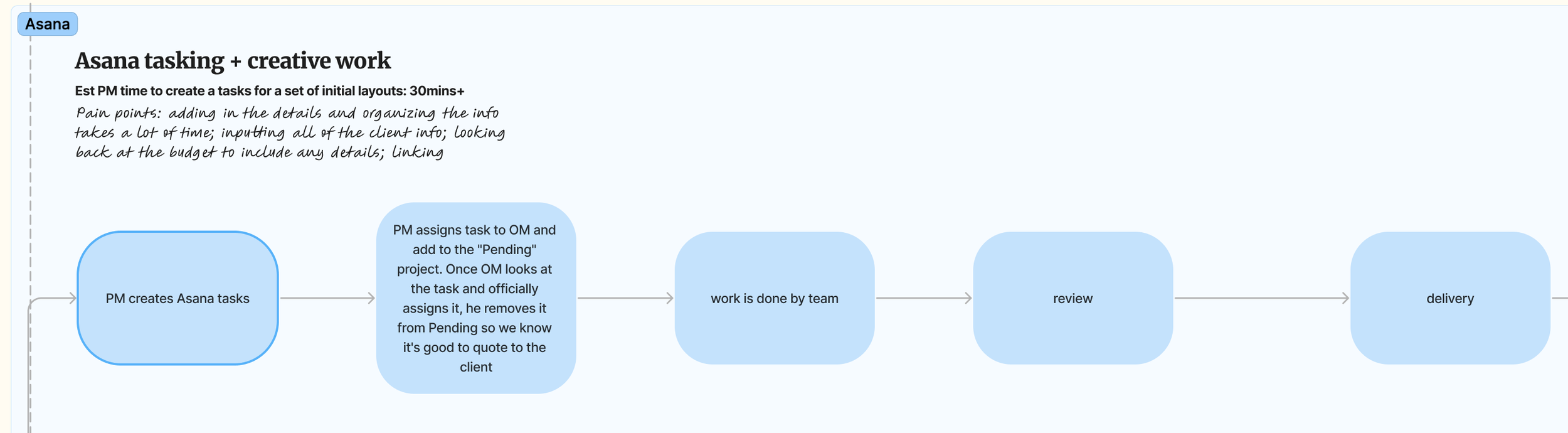
Previous workflow, highlighting the bottleneck in creating Asana tasks
Asana Template Design
We created a set of standardized task templates aligned with common project types for our agency, including:
Initial Copywriting
Initial Layout
Revised Copy and Layout
Website Design and Development
Each template included:
A parent task representing a deliverable or set of deliverables for a client’s project
Pre-set subtasks that aligned with the work each team would need to do for a given set of tools (e.g. revised copy, copy review, revised layout, review, and delivery)
A framework for information to include within the parent task description (such as deliverables, relevant links, and client notes)
Asana Template Testing and rollout
We presented the templates to a small group of Project Managers, who piloted the new templates over the next week. The templates were very positively received, and after making a few tweaks, the templates were rolled out for company-wide use. Over time, small changes to the templates continued, and a few additional templates were created to cover more task workflows.
Asana Template Impact
With a quick turnaround time of just a couple weeks, this short project had great results:
Reduced project setup time from 30 to 60 minutes down to 15 minutes
Eliminated redundant task creation
Improved clarity across teams; the new structure made it much easier to understand project timelines and ownership
Reduced cognitive load for Office and Project Managers
Long-term Solution
While the Asana improvements relieved immediate pain points, it didn’t solve the other bottleneck issues of budget proposals and budget breakdowns, nor the duplication of information across multiple documents. To address these, we collaborated with company leadership and our developers to design the Workflow Hub, a web-based internal platform to manage client projects.
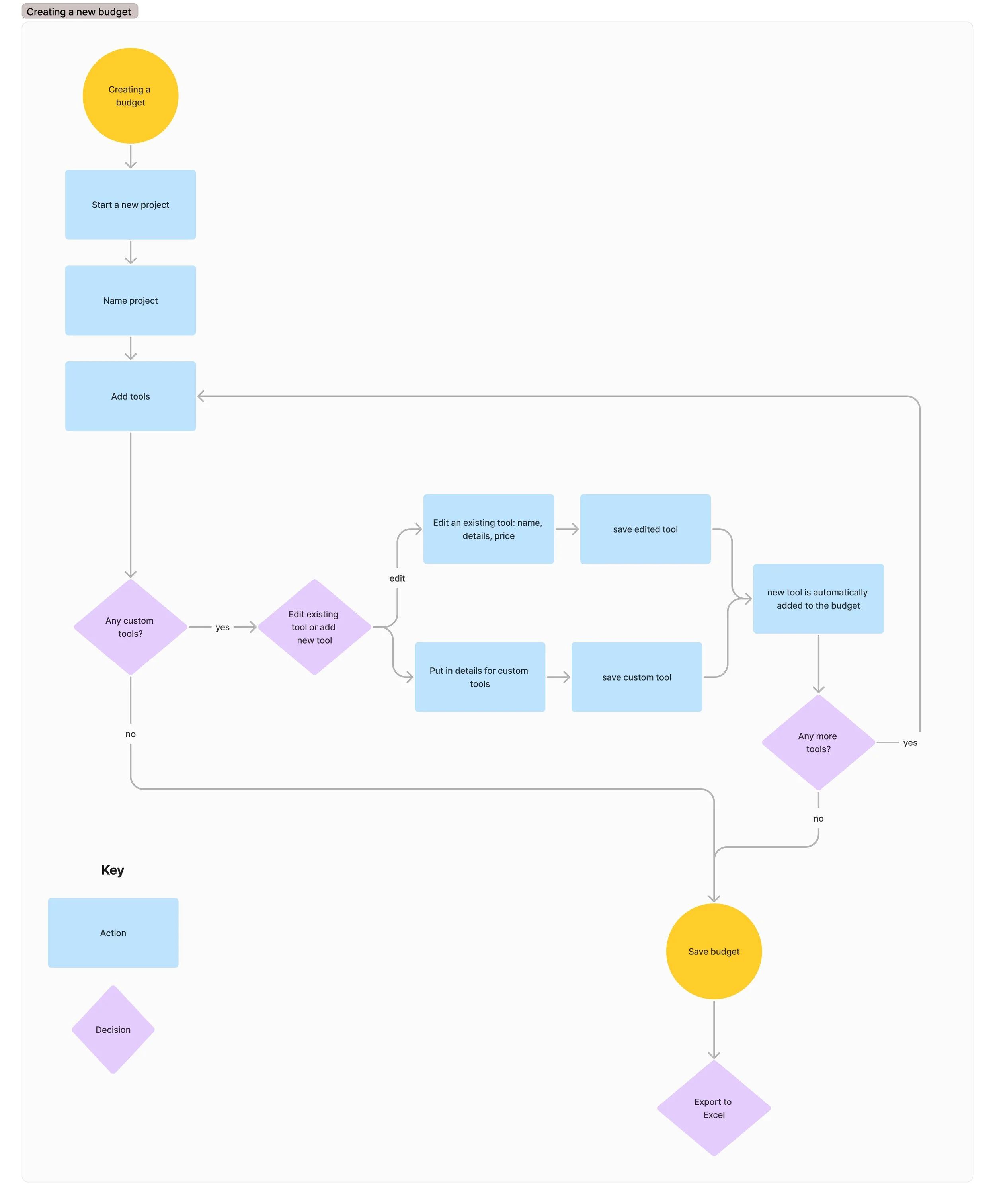
When brainstorming this new system, I decided to start at the beginning of our teams’ workflow and one of the major bottlenecks: a budget proposal for a new project. I referenced the process maps I had already created, looking at each step the Business Development team would go through. Based on these steps, I created a user flow for budget creation.
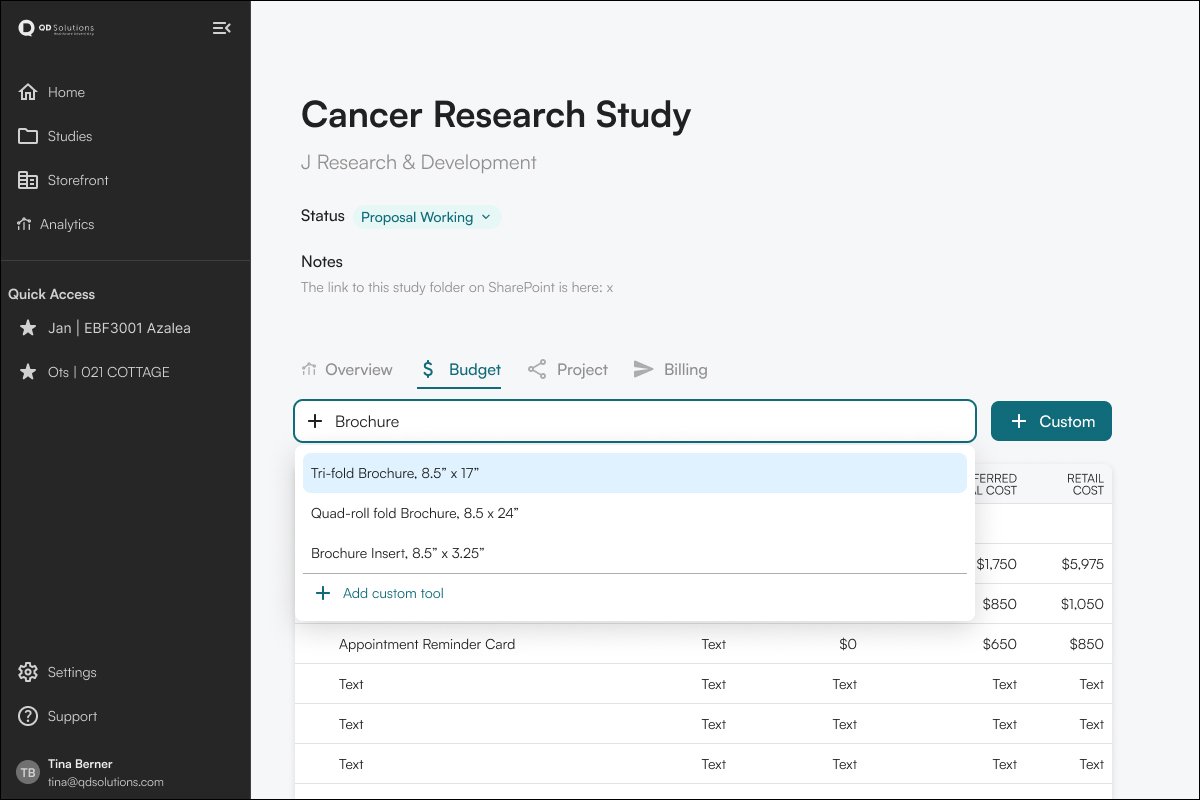
low fidelity design for searching the database to add a tool to a budget
Solving the bottlenecks: budget breakdown
Now that we had a database of tools, we wanted to tie in an established breakdown of costs to each tool in the database. Previously, the VP of Project Management would spend hours manually creating a breakdown for each individual budget. With this new system, the breakdown would be set once, and would only need to be addressed when the agency offered a new tool to clients. Instead of spending two hours on each breakdown, there would be essentially no time spent on this part of the process with the newly designed system.
User flow now in hand, I began creating low-fidelity mockups in FigJam, and my sketchbook. Throughout this project, we often met with company leadership. It quickly became evident that we needed visuals that were easy for a non-design-focused team to review, so I quickly moved from sketching to utilizing a UI template library within Figma to showcase potential designs.
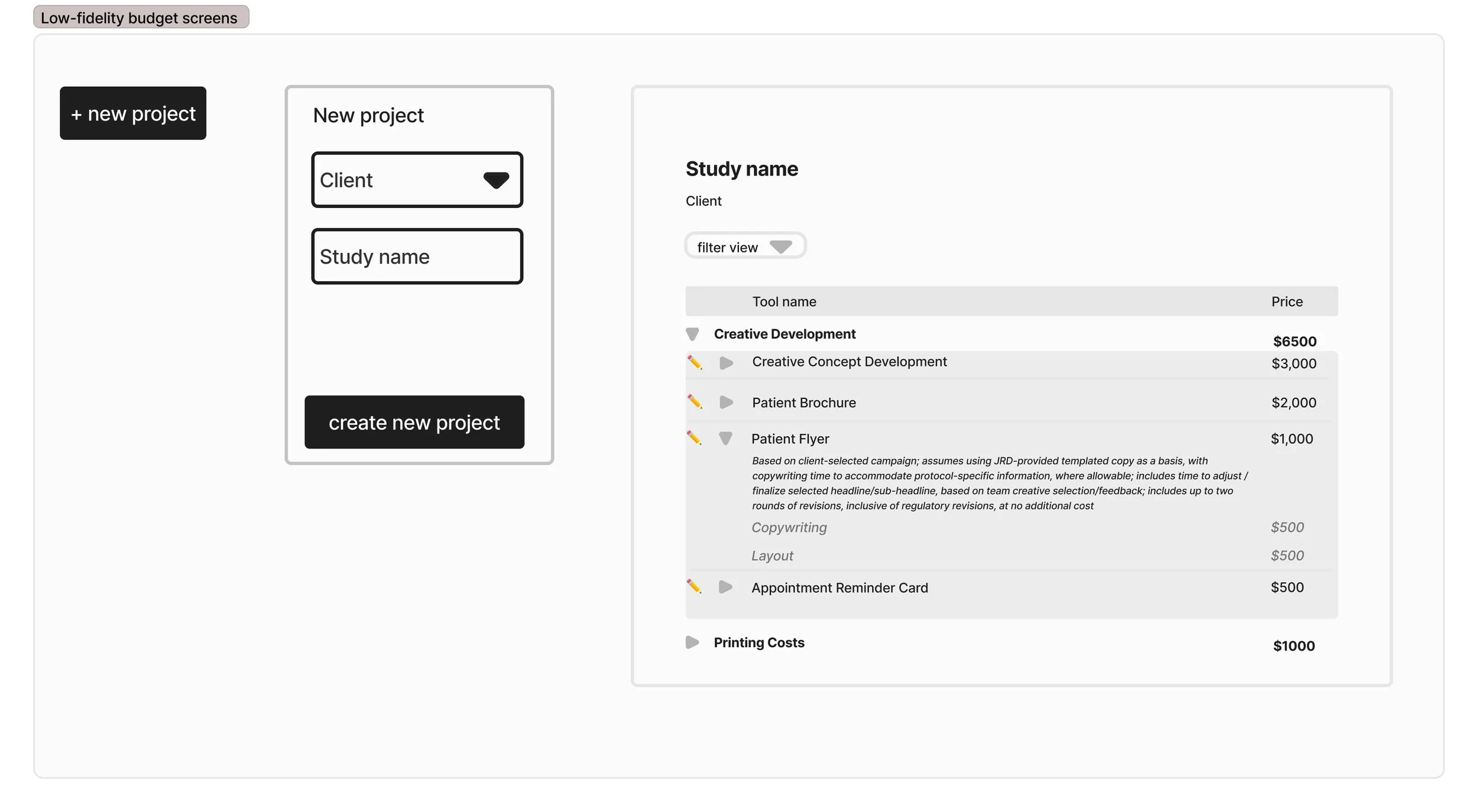
Ultra low-fidelity sketches created in FigJam for creating a new project, and an initial budget
Solving the bottlenecks: budget proposal
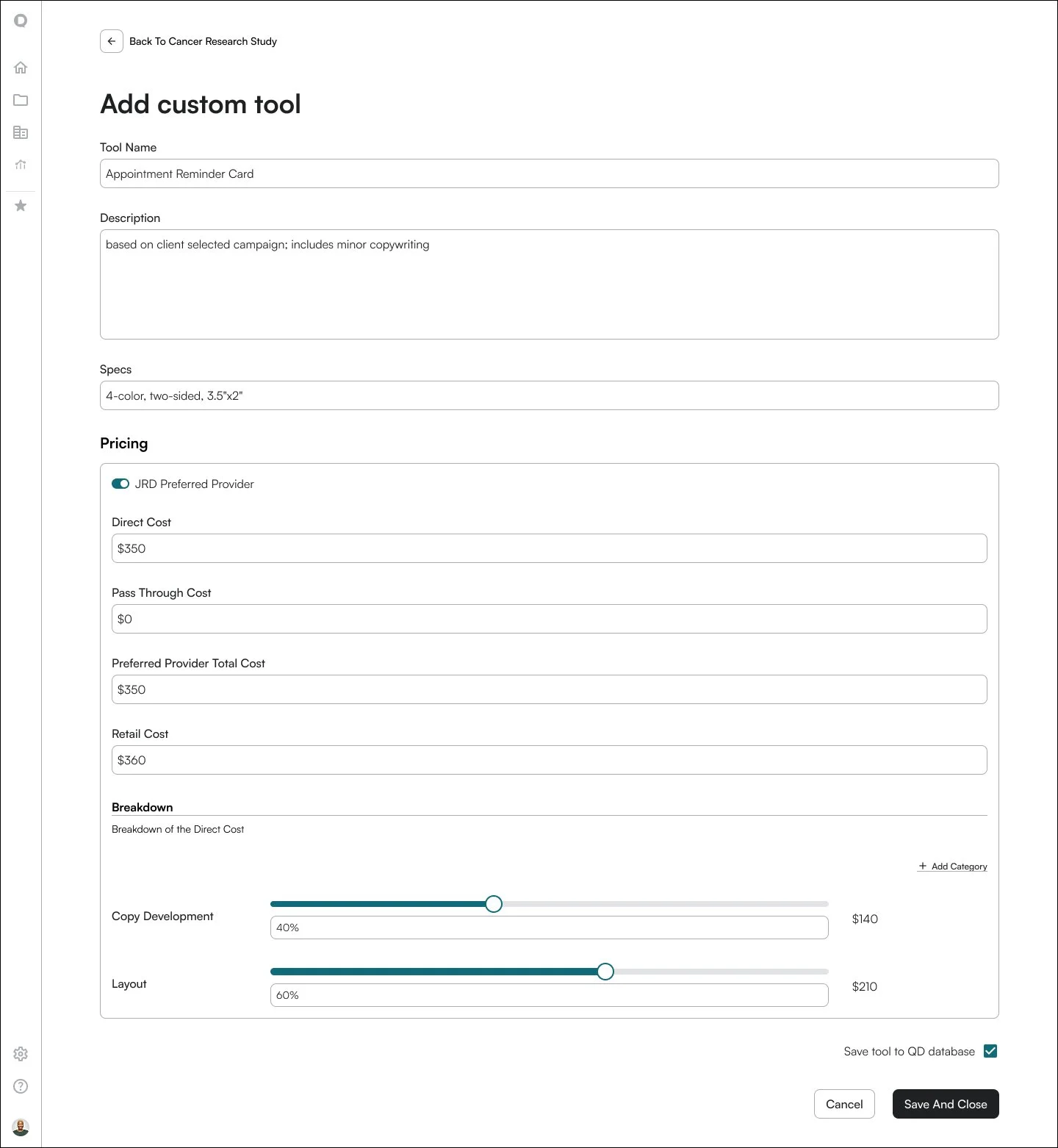
Looking back at the bottleneck we’d identified within budget proposals, we wanted to ensure that it would be easy to find previously proposed materials, and create new ones. We designed a system where team members could search for previous tools and quickly add them to the budget, as well as create new tools for budgets, which would then be added to the tool database.
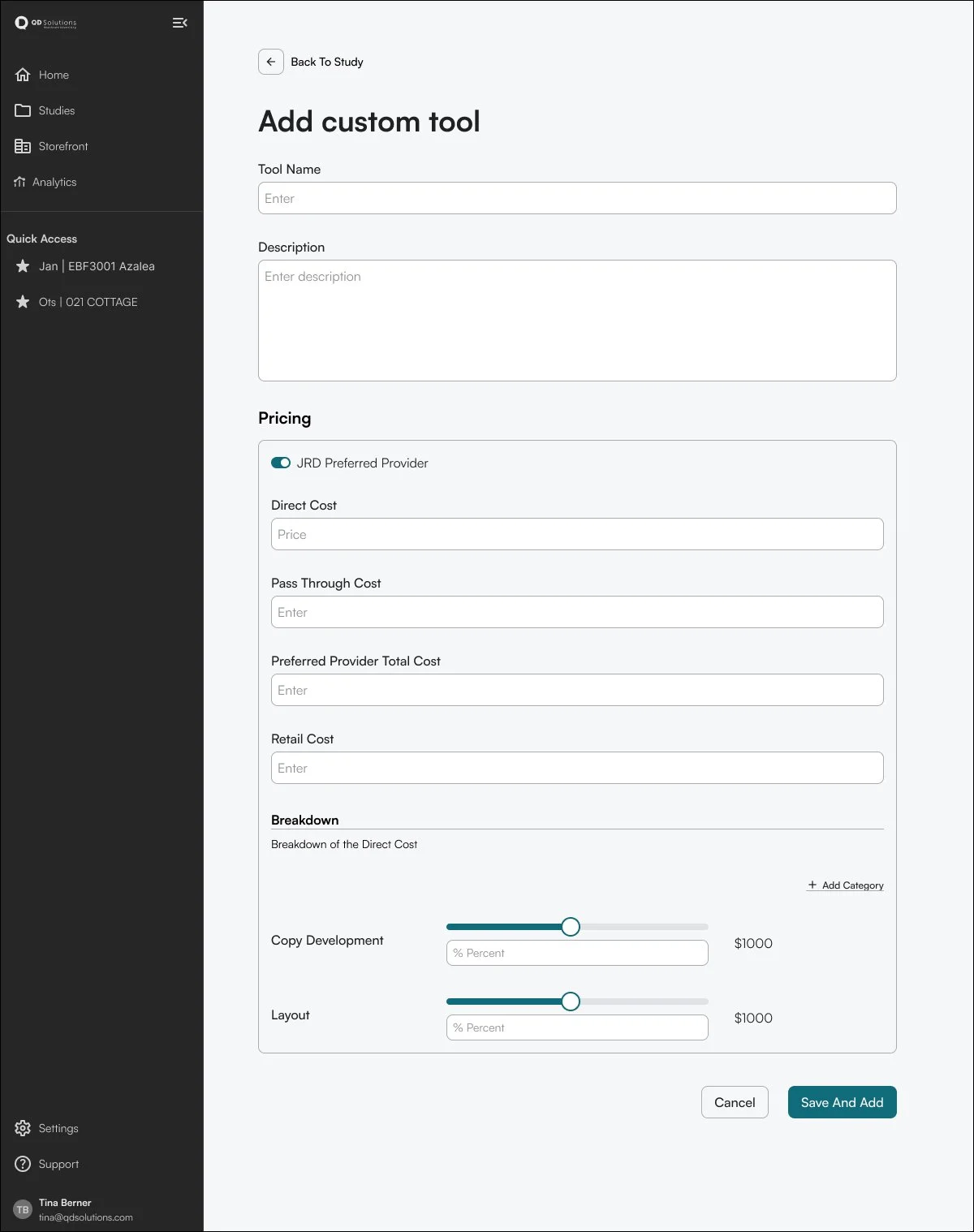
low fidelity design for adding a custom tool to the budget/database, including a way to add the budget breakdown to each tool
As I worked through these bottleneck solutions, we would regularly show the system to company leadership, and have focused walkthroughs for our Business Development and PM teams. With more insight gained after each meeting, we would make adjustments to the designs to ensure that the app would align with our teams’ processes and requirements.
Challenge: save data
One of the main challenges we faced during this time was how the app would store information. From a user experience perspective, I advocated for auto-save features throughout the app. However, our development team presented the difficulties and cost associated with this setup. We were able to find a compromise that included auto-saving while working on a budget, then saving a “version” of each budget. Once a version was saved, it would be archived, and all of the auto-save instances could be removed from the server to save on data storage.
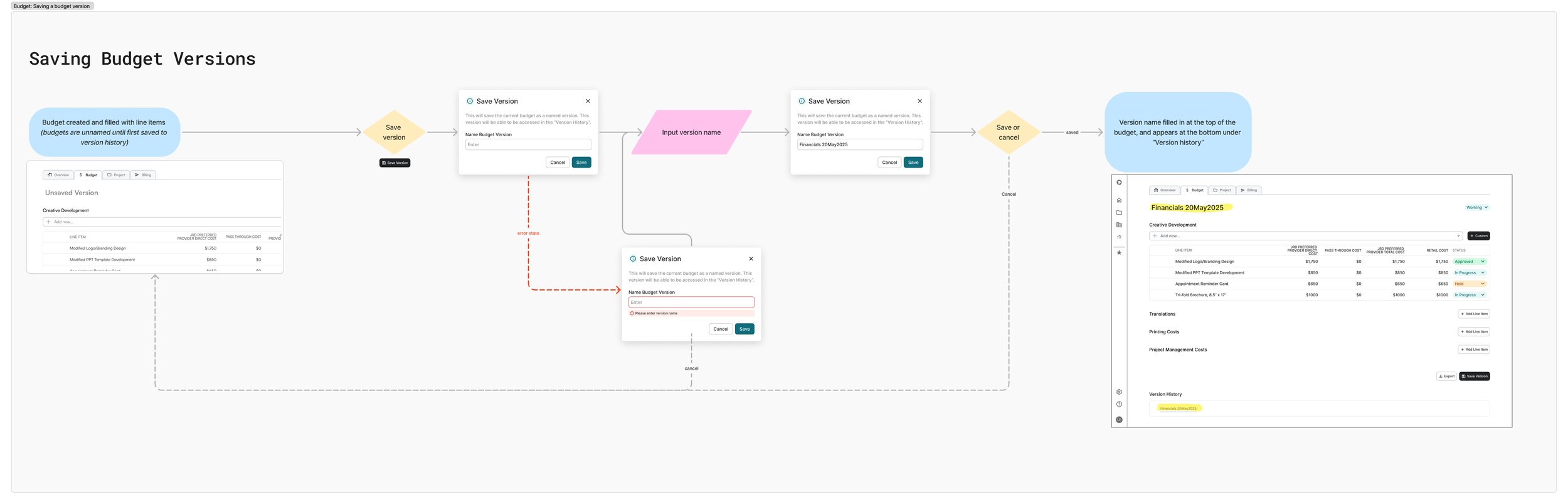
finalized screen flow created to clarify the version save process for budgets
High-fidelity Wireframes
The main page we focused on during the design of the hub was that of an individual project/study. Our agency created marketing tools and materials for clinical research trials. We worked with multiple sponsors, and typically multiple studies for each sponsor/client. Each study page would contain tabs that would pair with each team’s processes:
Overview: planned as an analytics view, but not designed in this phase
Budget: The Business Development team would create and manage project proposals from this tab
Project: Replaced the excel-based project tracker, and allowed PMs to manage individual tools
Billing: Tools would automatically move here as “ready to bill” once their status had been marked as delivered to the client
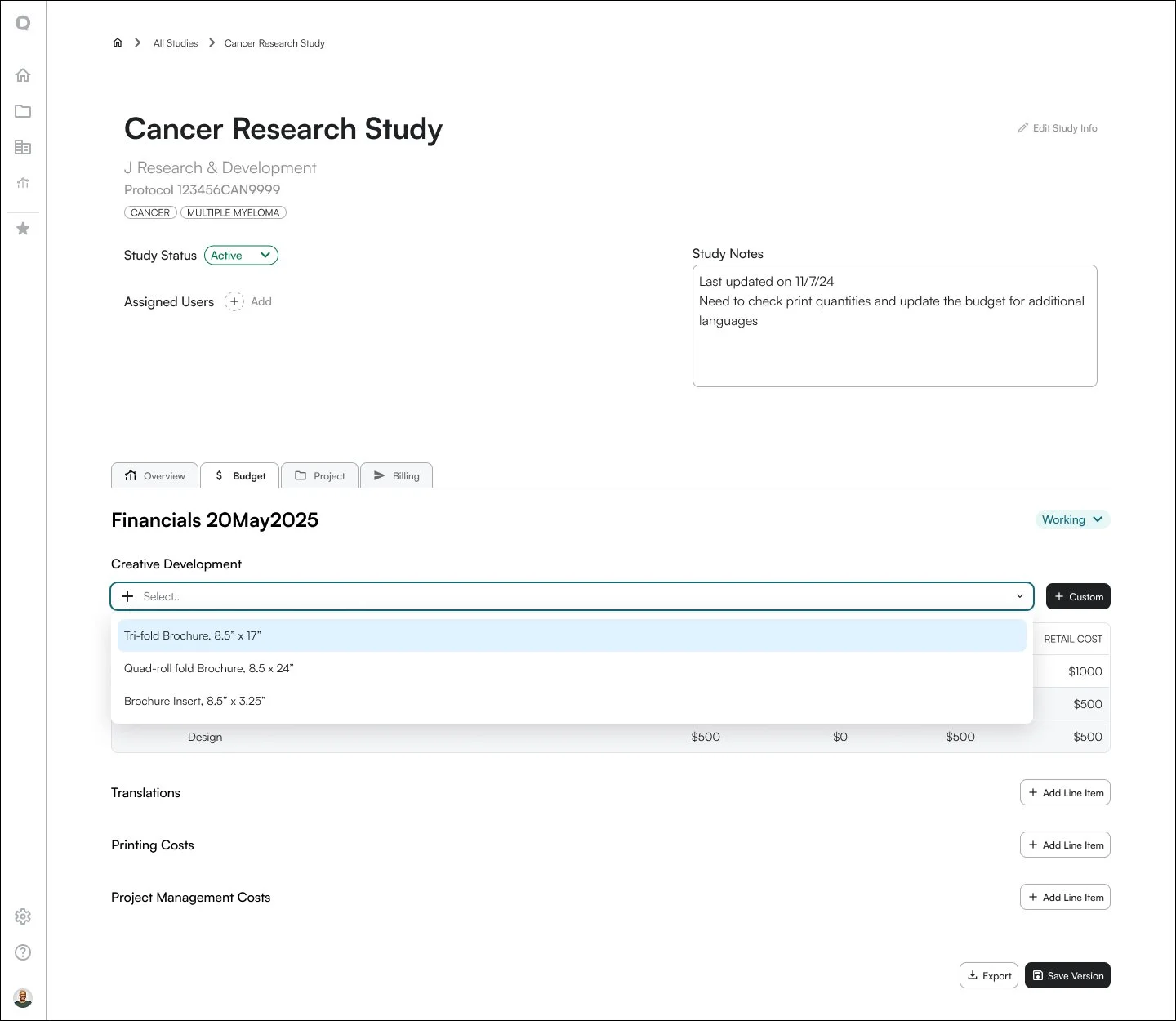
Budget wireframes: searching to add a tool / a filled out custom tool / a previous version of the budget
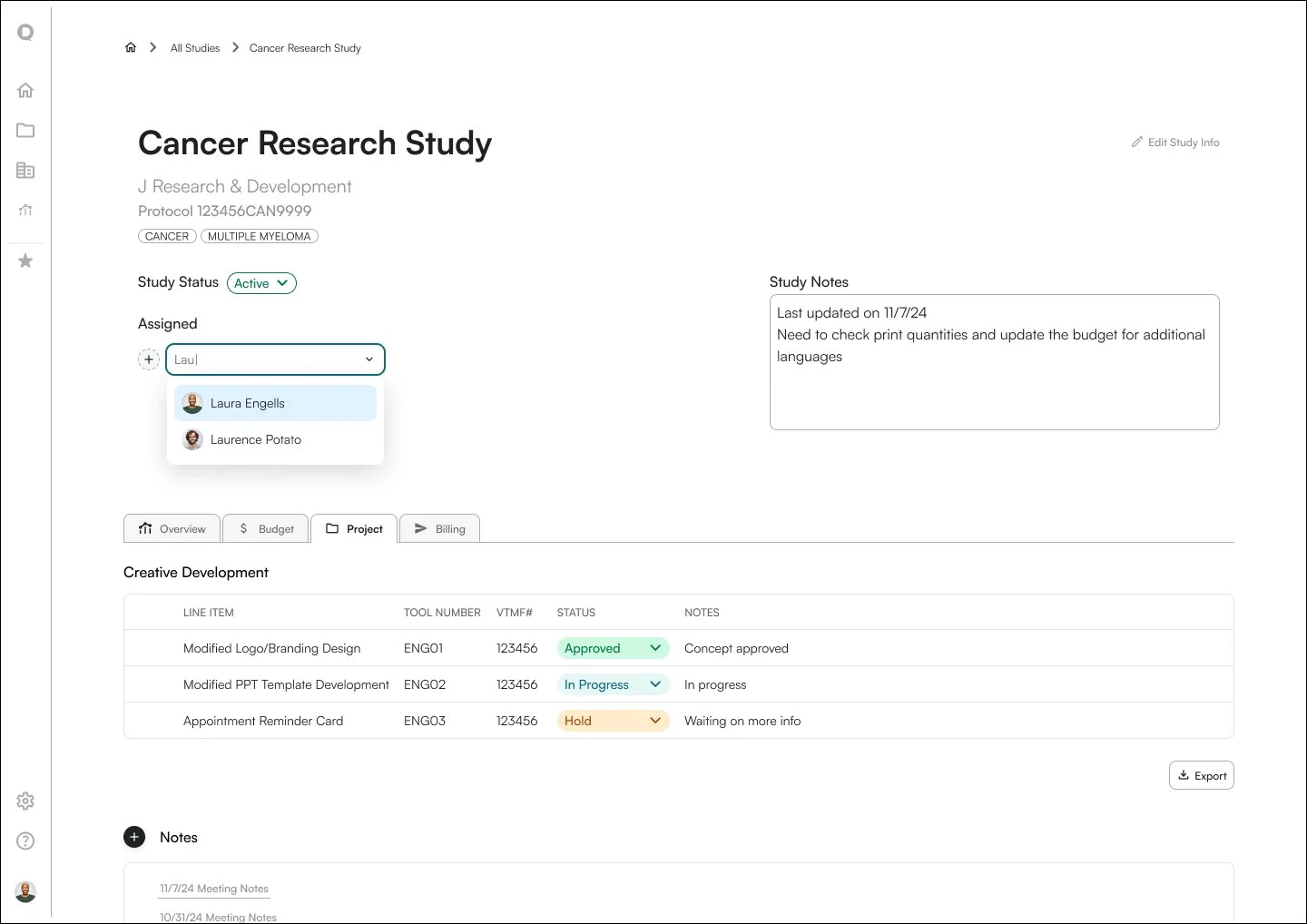
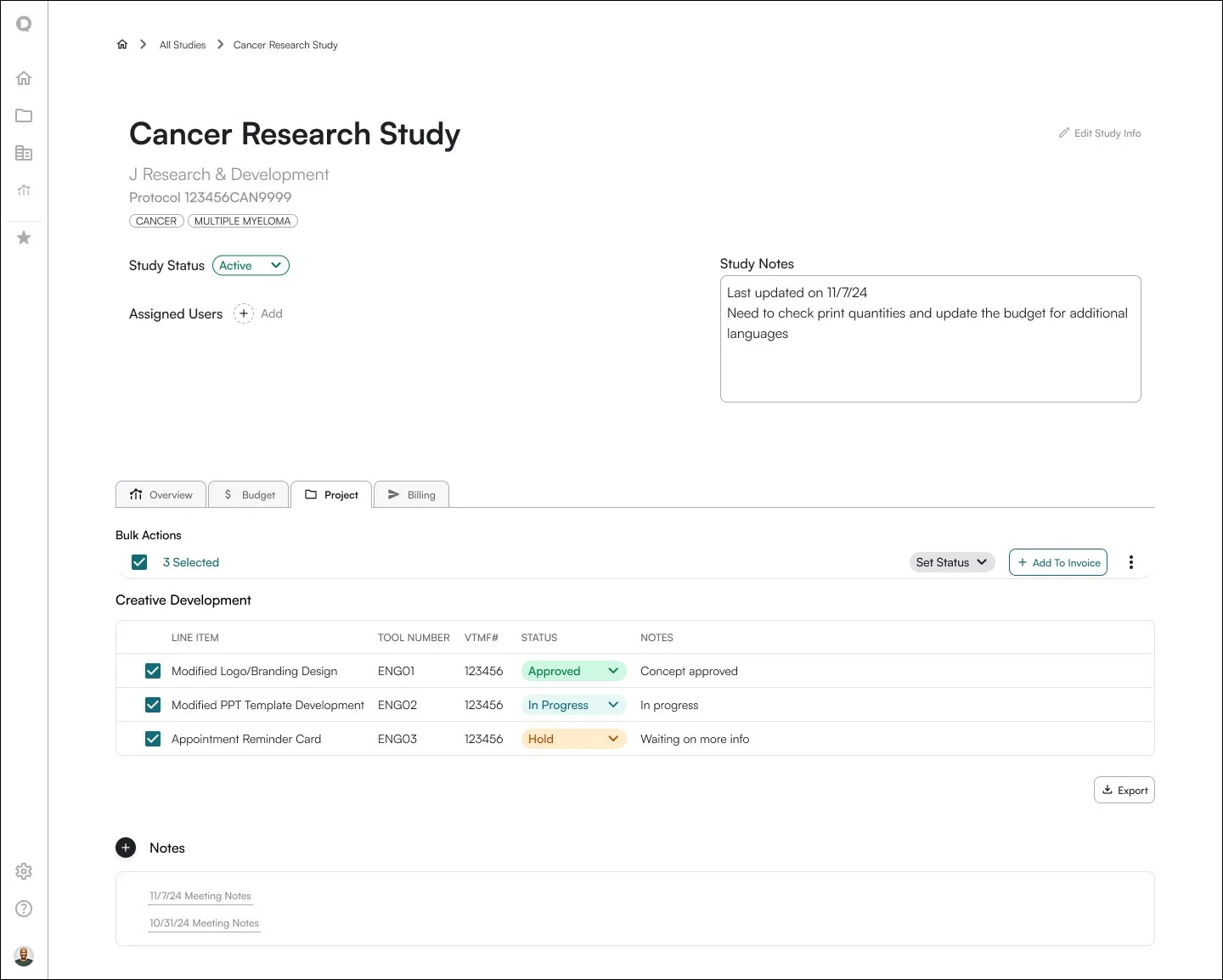
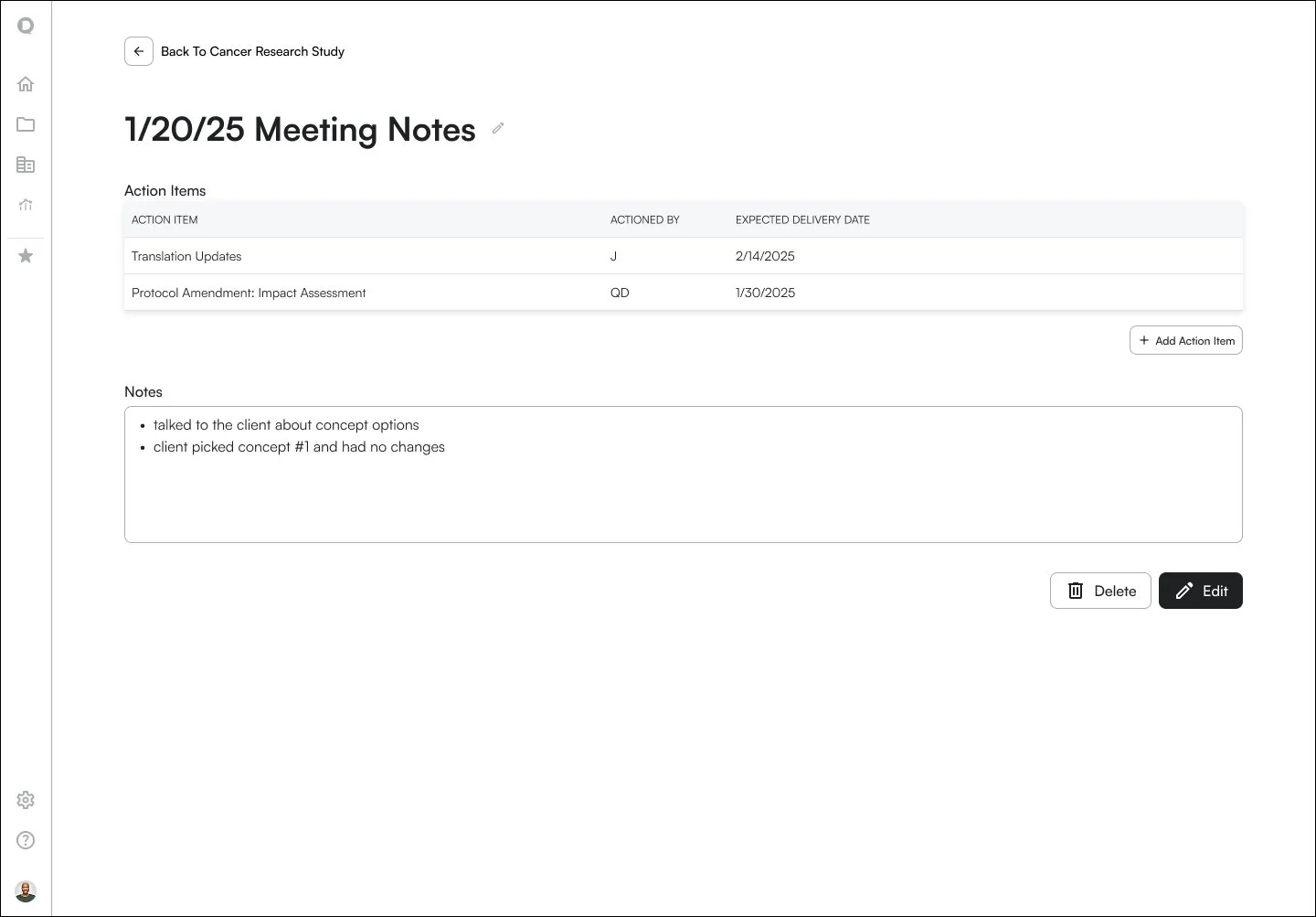
Project wireframes: assigning a user to a project / bulk tool selection / viewing a note in the Project tab
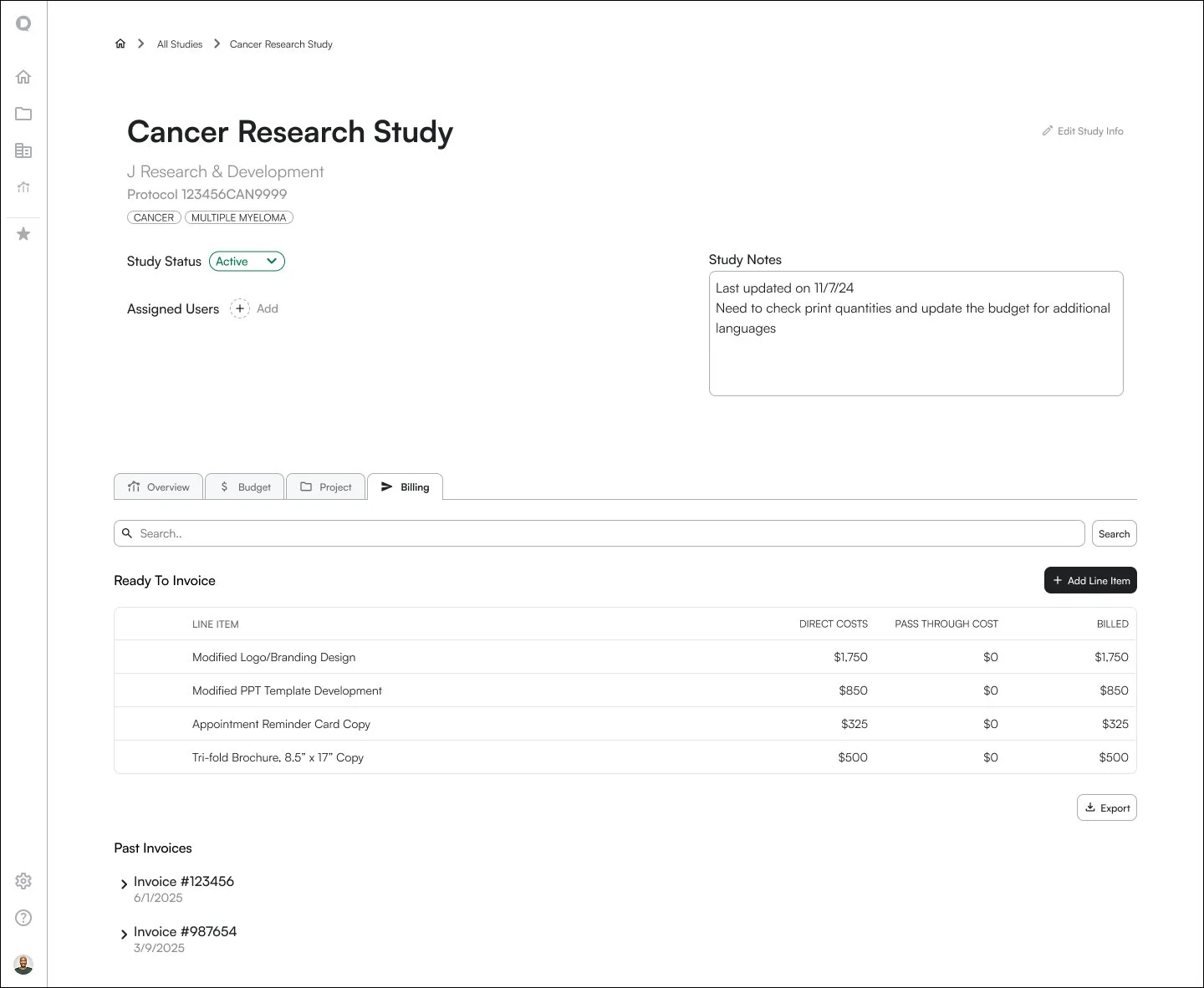
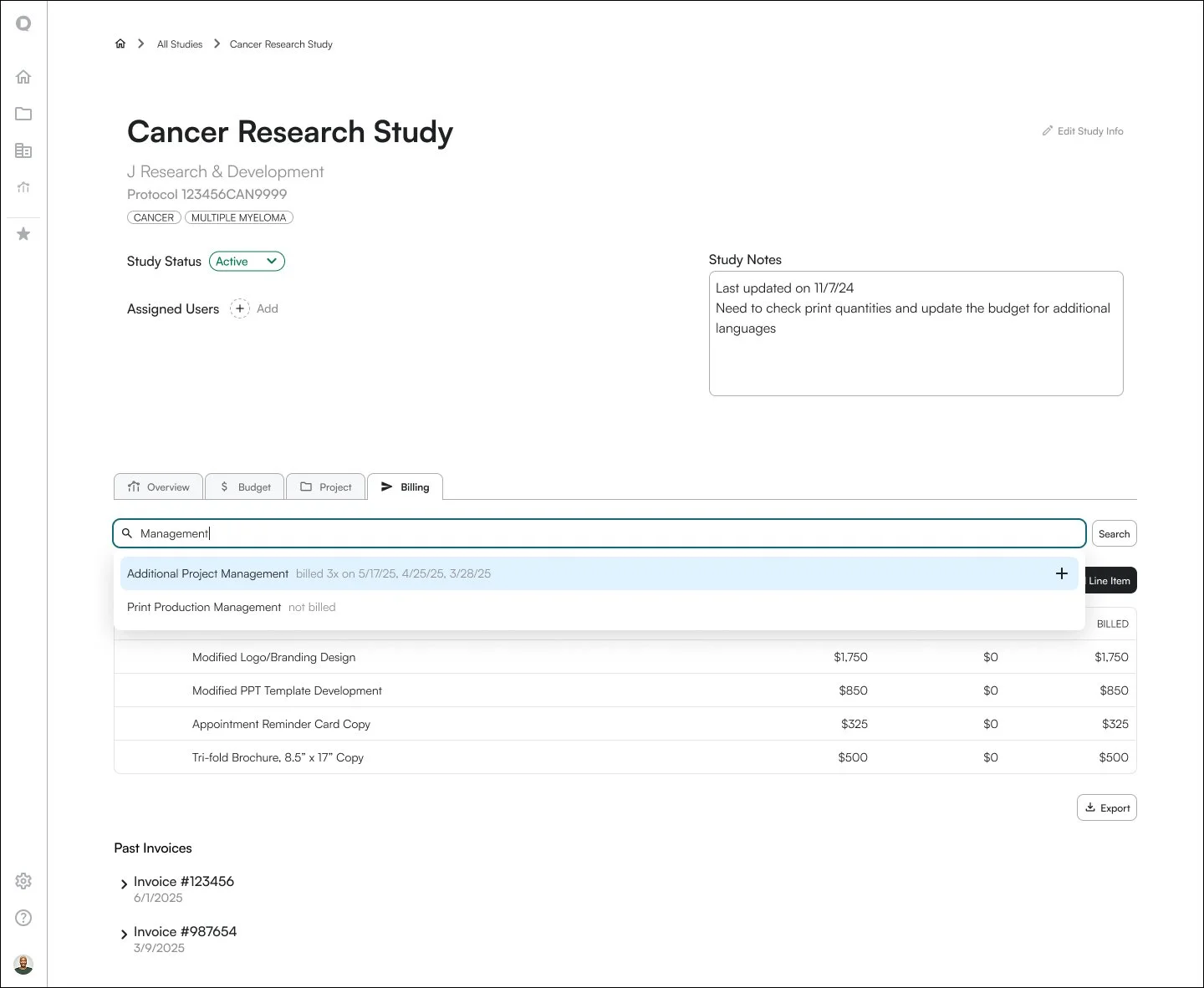
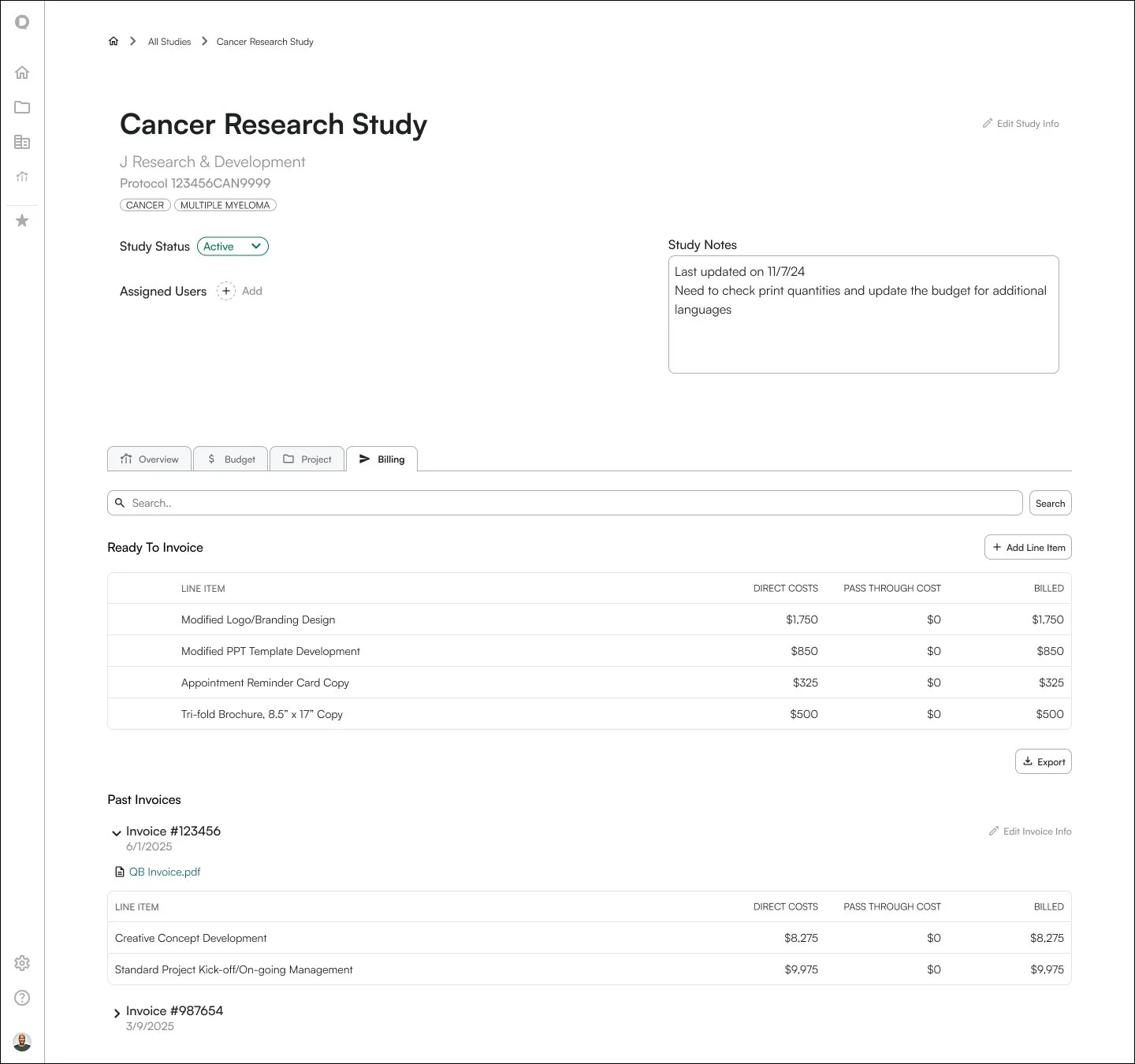
Billing wireframes: items are ready to invoice / searching system line items that need to be added / viewing items billed in a past invoice
Takeaways
This project strengthened my ability to think in large-scale, interconnected systems. I looked at complex workflows across the entire company. I identified root inefficiencies, mapped dependencies and bottlenecks, and created a cohesive, scalable solution.
I didn’t stop at the company’s long term vision of a web-based Workflow Hub, but also identified a highly impactful, quick win by redesigning our team’s Asana workflow to save significant time.
If I were to approach this project again, I would have pushed for clearer MVP definition and scope before diving into the project, and facilitate for stronger alignment across leadership on product vision.
Overall, the Workflow Hub project developed my skills in balancing needs for different user types, evaluating complex systems, and feature prioritization.