Product Design・Mobile App・Agency Project・Clinical Research
QD Connect: a mobile app for study participants
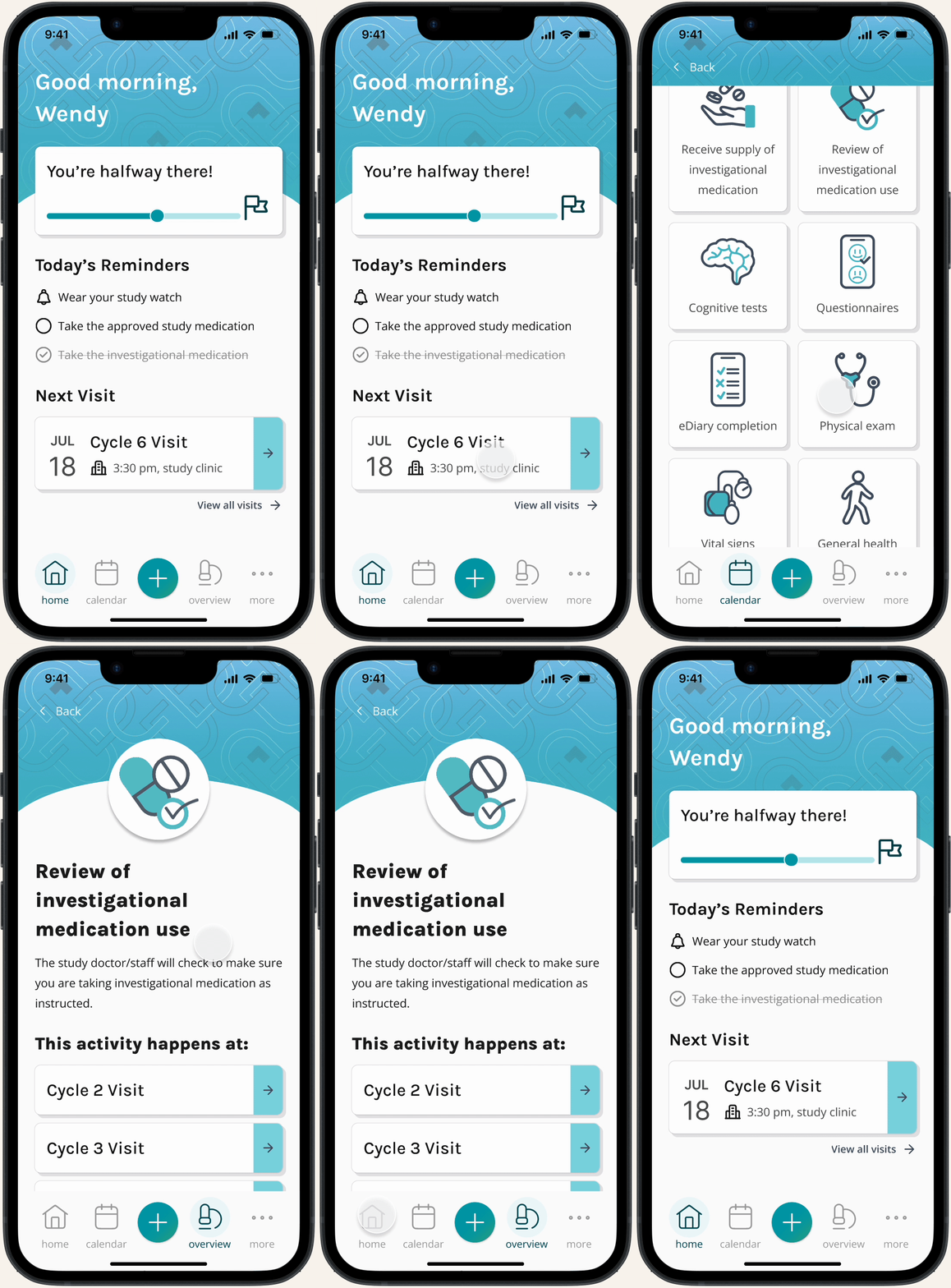
Overview
About the Project
QD Connect is a mobile app designed to support participants enrolled in long-term clinical research trials, by helping them understand their study, track their progress, and prepare for upcoming study visits.
Before QD Connect, participants would have received a paper guide (which was hard to update in case of study changes, and easily misplaced), or a link to a progressive web guide (which was not customizable for each patient, and could be difficult to quickly navigate).
After research into the clinical trial experience, speaking with past study participants, QD Connect was conceived to help patients navigate the complexities of clinical trial participation. Our goals were to create an app that could easily slot into their existing routines, check their daily study responsibilities, understand what each study visit would look like, and easily contact study staff. For the study teams and sponsors, we aimed to make it easier to update available information, complying with protocol updates, and improve patient retention.
Constraints + Considerations
QD Connect had several constraints impacting its design and development, including:
Accessibility: Study participants may greatly vary in age, health conditions, and familiarity with apps
Clinical trial regulations: Including patient privacy and communication, study updates, and study protocol variation between countries
Customization: The app would need to have a base template that could be modified to fit any study, as not all clinical trials have the same study structure. This also includes custom branding for each study.
Users: An early vision for the app included an interface for both the study clinic and the study patients. However later on, there was a directive to decrease clinic staff burden, necessitating a shift away from including direct study staff input into the app.
Business constraints: This was the agency’s first mobile app, and was created alongside regular agency work. There were a few bumps along the way, and the app faced competing internal priorities, extending its design and development over the span of ~3 years in total.
Role
Product Design Lead
Team:
Designer
Developer
Copywriters
Creative Director
Methods + Tools
1:1 User Interviews
Empathy workshops
Ideation workshops
Crazy 8’s
Impact/Effort Matrices
User flows
Screen flows
Wireframes
Figma prototyping
Figma
FigJam
Miro
paper + pen
Research
Discovery Interviews
After deciding that we wanted to reimagine our existing print and web study guides, we set out to determine what experience would be most useful to clinical trial participants. Due to privacy regulations, we weren’t able to speak directly to patients who had used our agency’s materials. Instead, I created a research plan for 1:1 discovery interviews with people who had recently participated in a clinical research trial.
Research goal: What tool can we create to best assist patients participating in a long-term clinical trial?
Core research questions: How do patients stay organized during long-term clinical trials? What is the trial experience like in between clinic visits? What information do patients need to reference most often during the study (and what do they not need)?
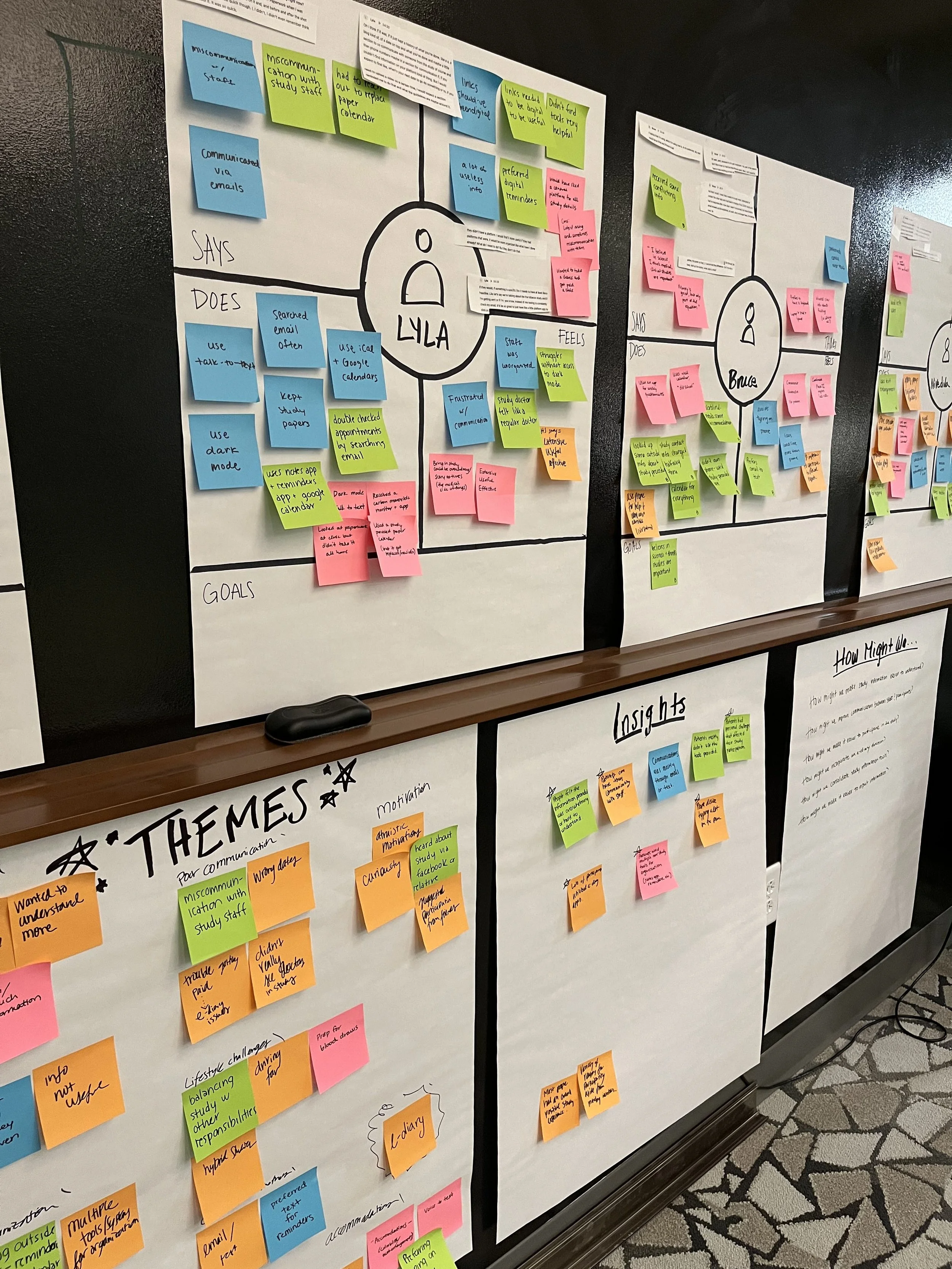
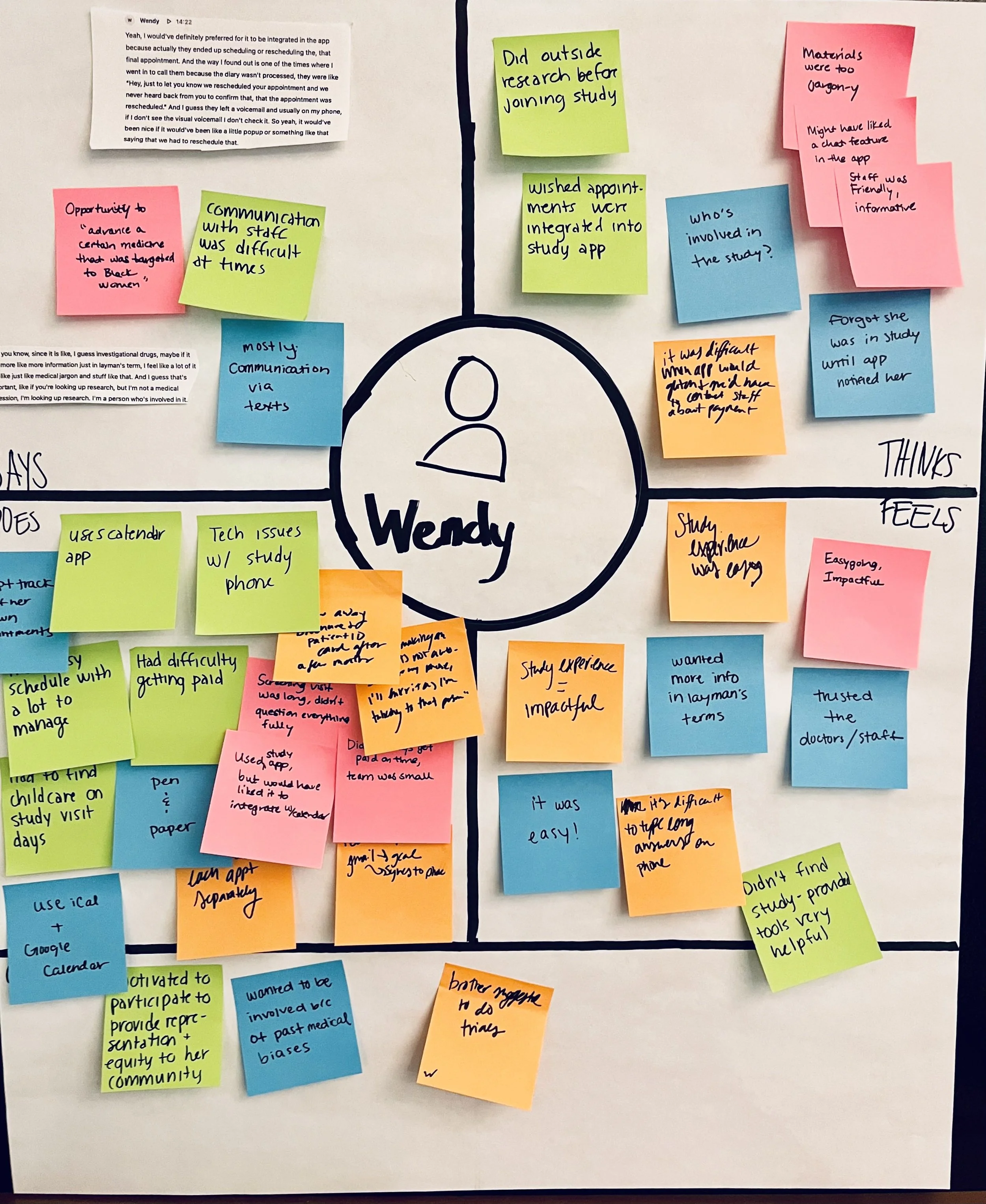
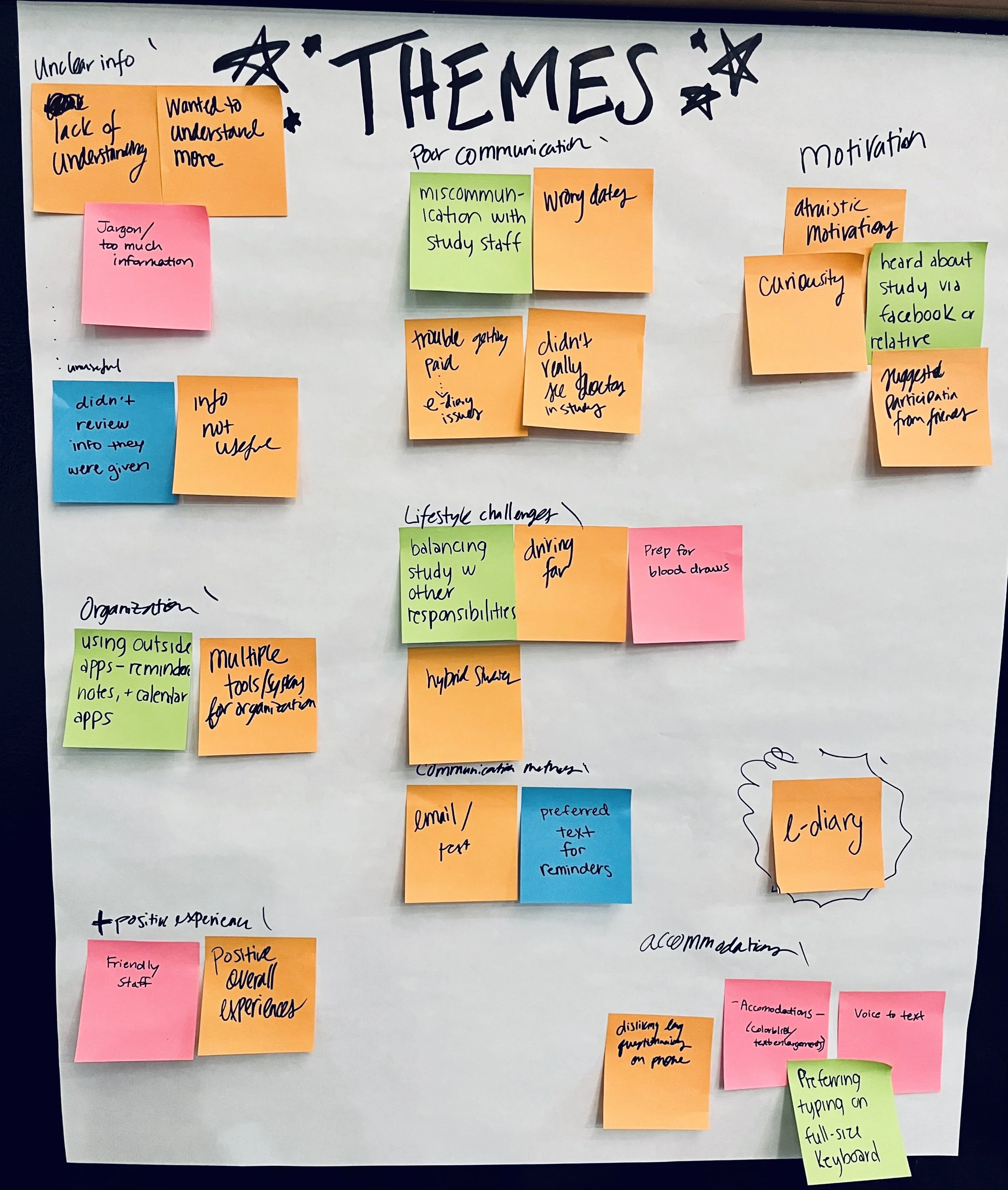
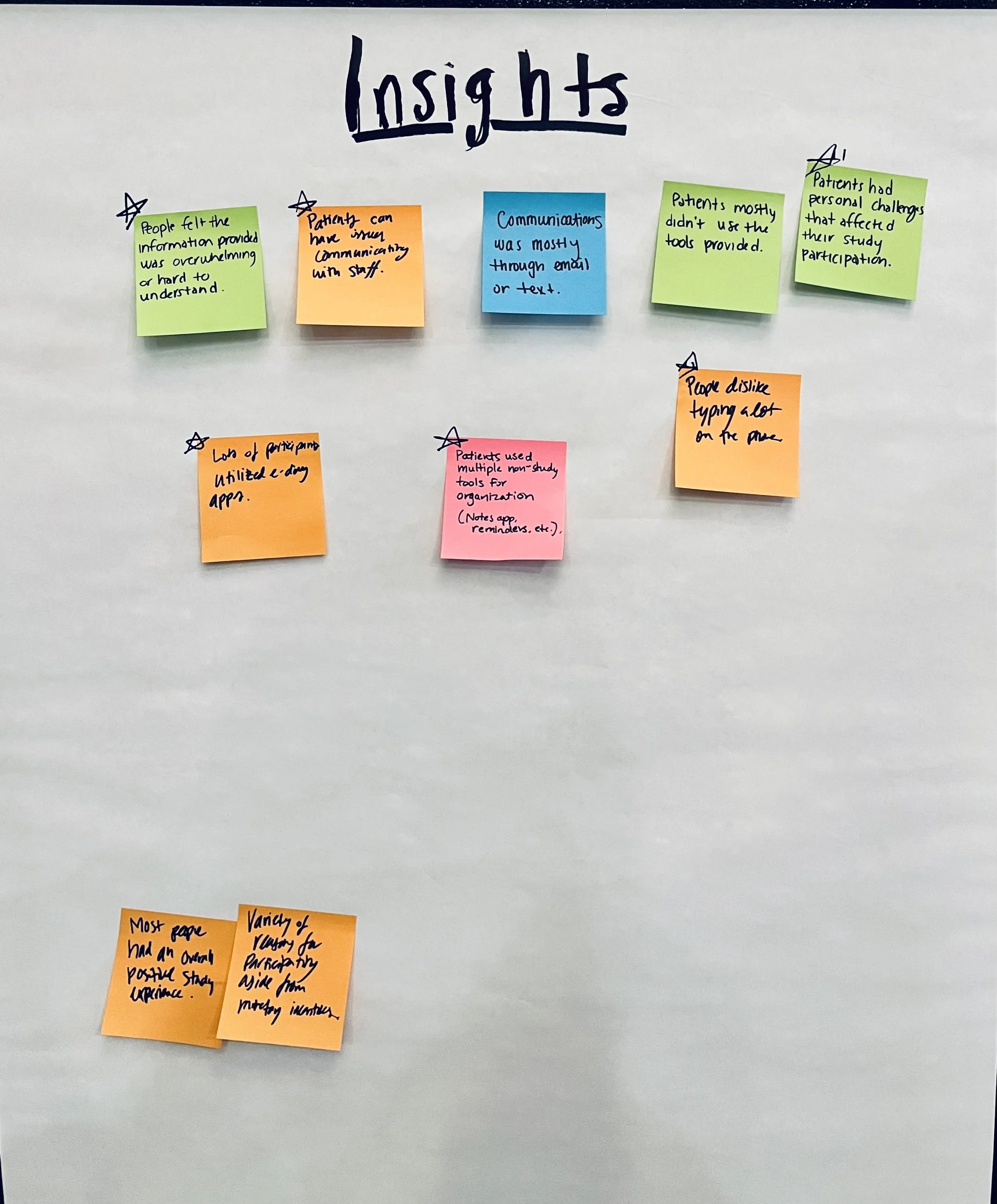
Research Synthesis: Empathy Workshop
After conducting our interviews, I organized an empathy workshop for our team to go over and synthesize what we learned. Some key themes we uncovered were:
Poor communication between the study team and participants
Unclear understanding of their clinical study
Most people already had an organizational system they were using (typically digital calendars)
Many study participants were asked to use an e-diary to track their symptoms during their study
Often the biggest obstacles in study participation were personal lifestyle (including a busy work/life schedule, driving long distances, etc)
Using these themes we created a few core “How Might We” questions to guide us, which also confirmed our idea that an app might be a good solution:
HMW make study information easier to understand?
HMW improve communication between staff and patients?
HMW make it easier to participate in a research study?
HMW consolidate information/misc papers that participants receive?
Design
Information Architecture + User Flows
After defining the direction we wanted to take for this project, we began ideating on possible designs. I facilitated another workshop for brainstorming on our HMW questions. Based on those ideas generated, we prioritized which features would be the most impactful for an MVP of the app, and set to work.
We looked at the features we were interested in including, and after creating the general information architecture of the app, had four primary sections to work on:
Home/dashboard (to include reminders, a study progress timeline, and a next appointment preview)
Calendar
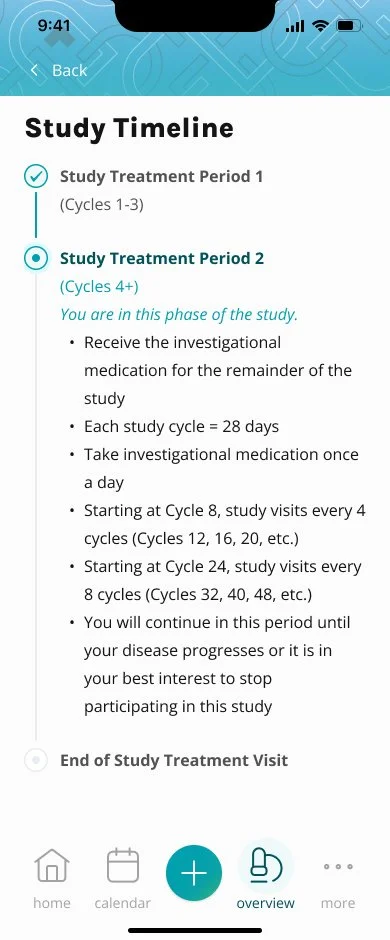
Study Overview (which would include FAQs, and descriptions of various health exams)
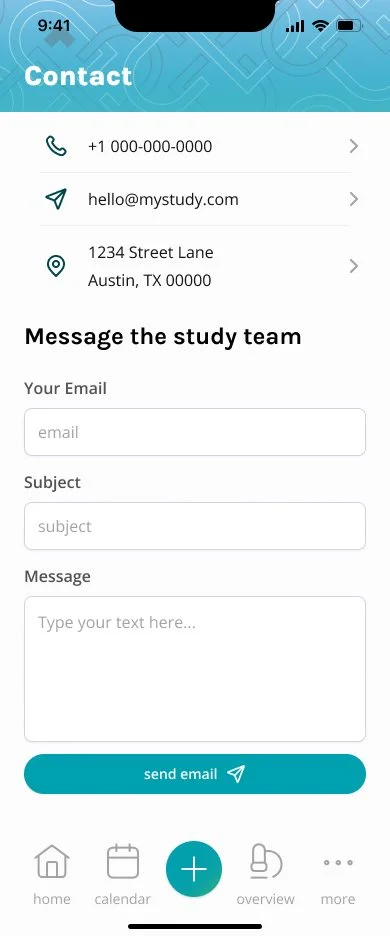
Contact
Our team started by mapping out user flows for each of these sections.
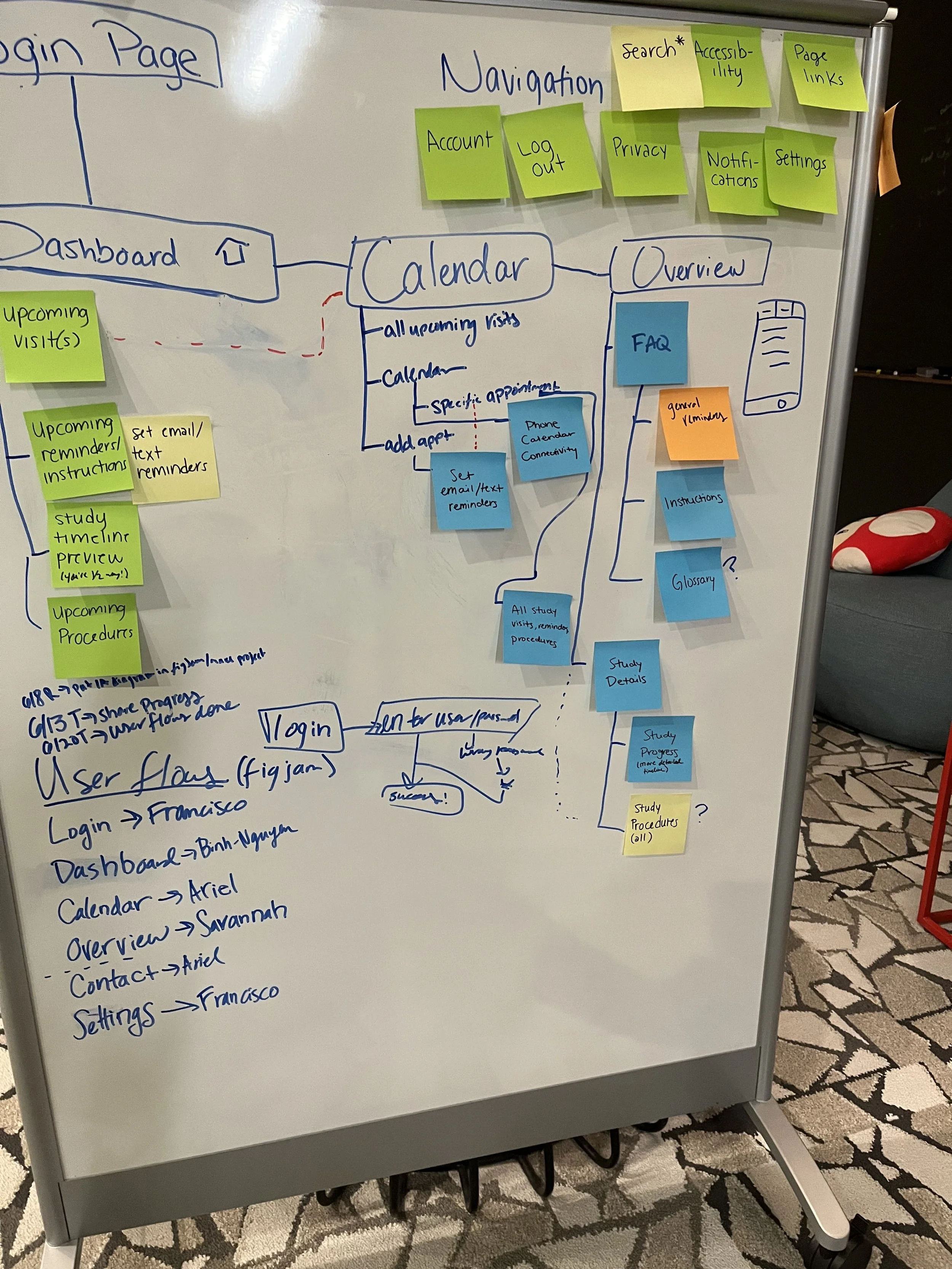
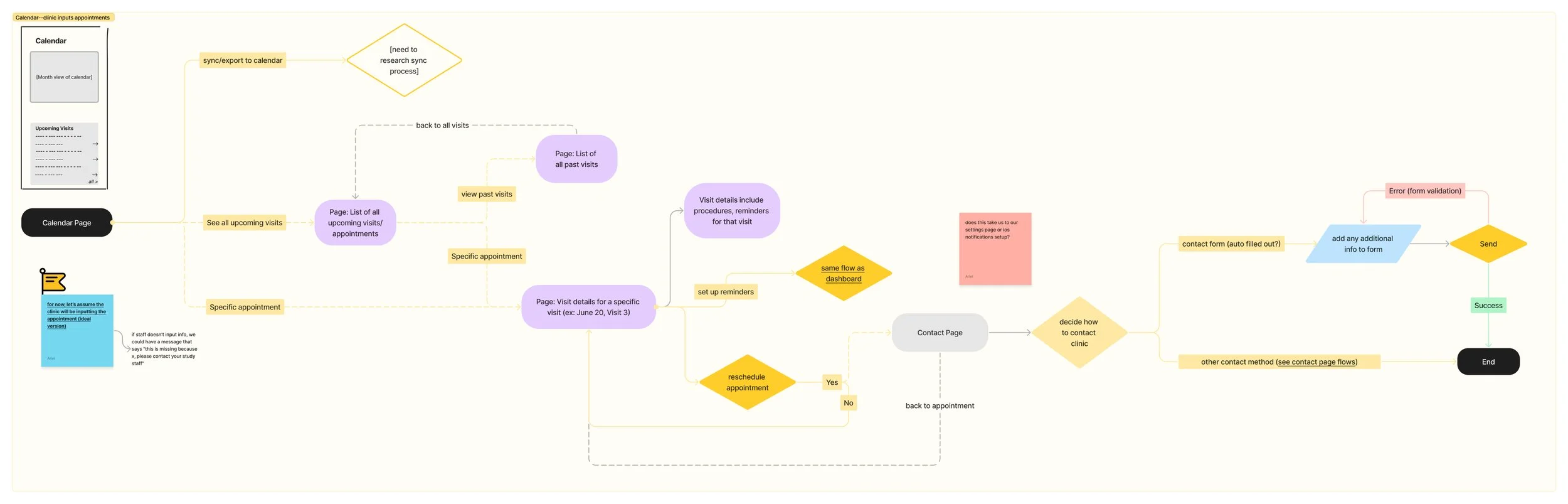
initial user flow for the Calendar section
Wireframes
When it came time to create low-fidelity wireframes, our team divided the work. I mainly owned the wireframes for the home dashboard and study overview pages, with input into some sections of the calendar and other pages.
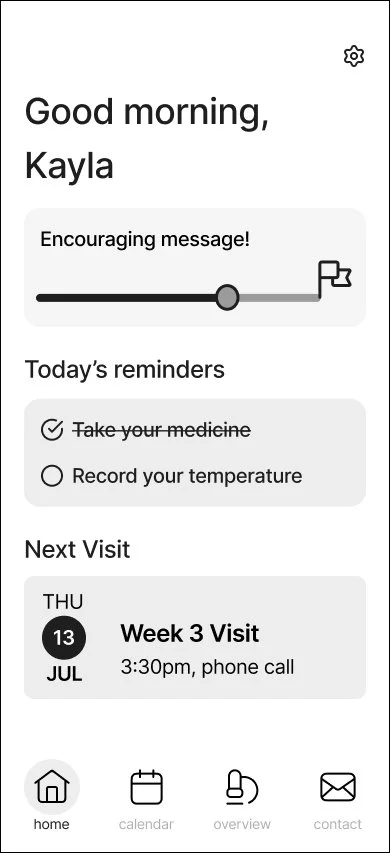
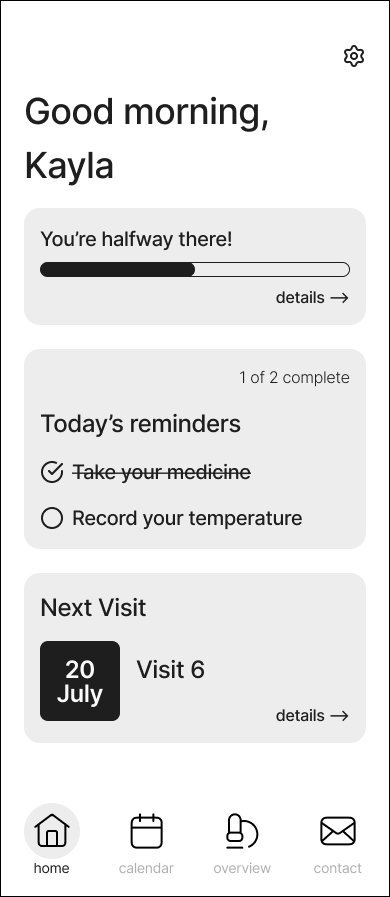
early options for the home screen
mid-fidelity navigation bar
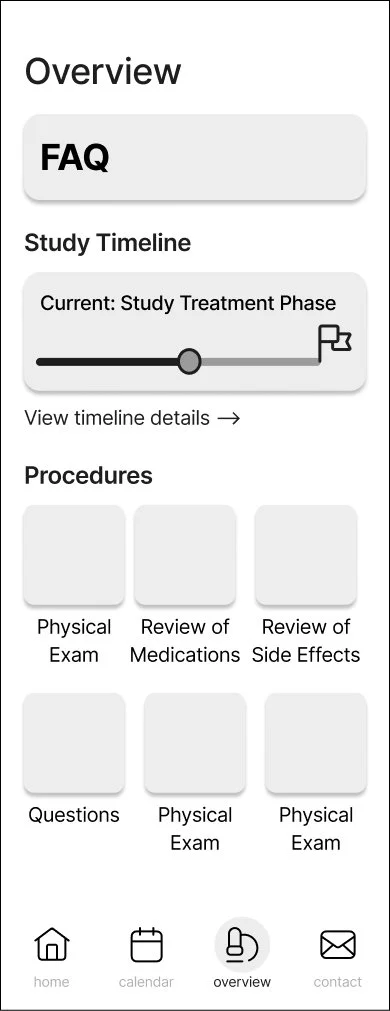
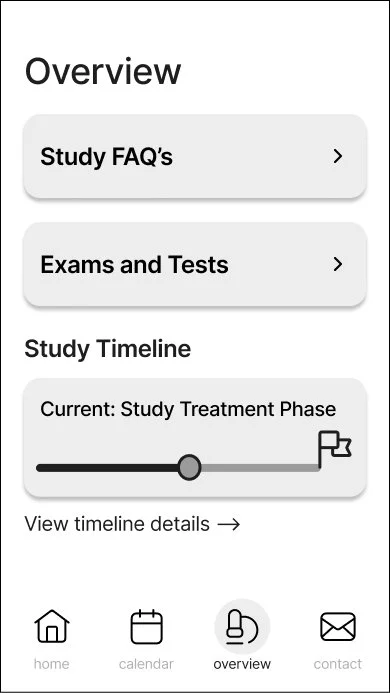
early options for the study overview section
Our initial design relied upon the clinic staff inputting patient appointments and tying them to specific study visits. However, during the lofi stage, we were asked to remove any required interaction from the site staff. This led us to remap the flow for the calendar section in particular.
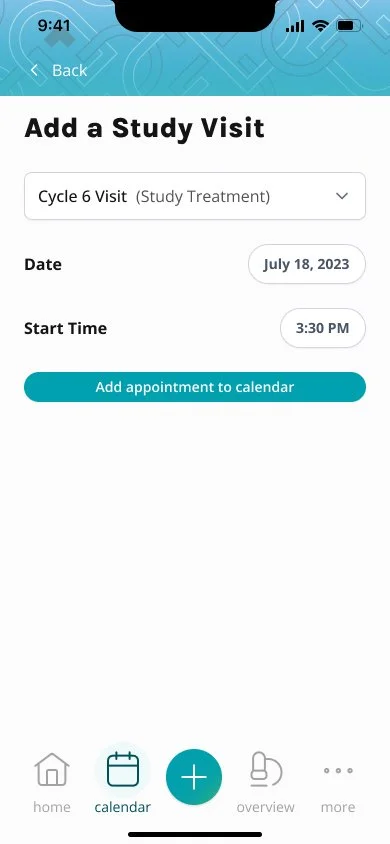
The process of adding appointments and syncing them to study visits had to be shifted over to the study participant, rather than being input by the staff. This feature was a core part of the app, since the study visit the patient is on will affect their study progress, and daily reminders. Sometimes this can be confusing for study participants, so we aimed to make the process as smooth and clear as we could.
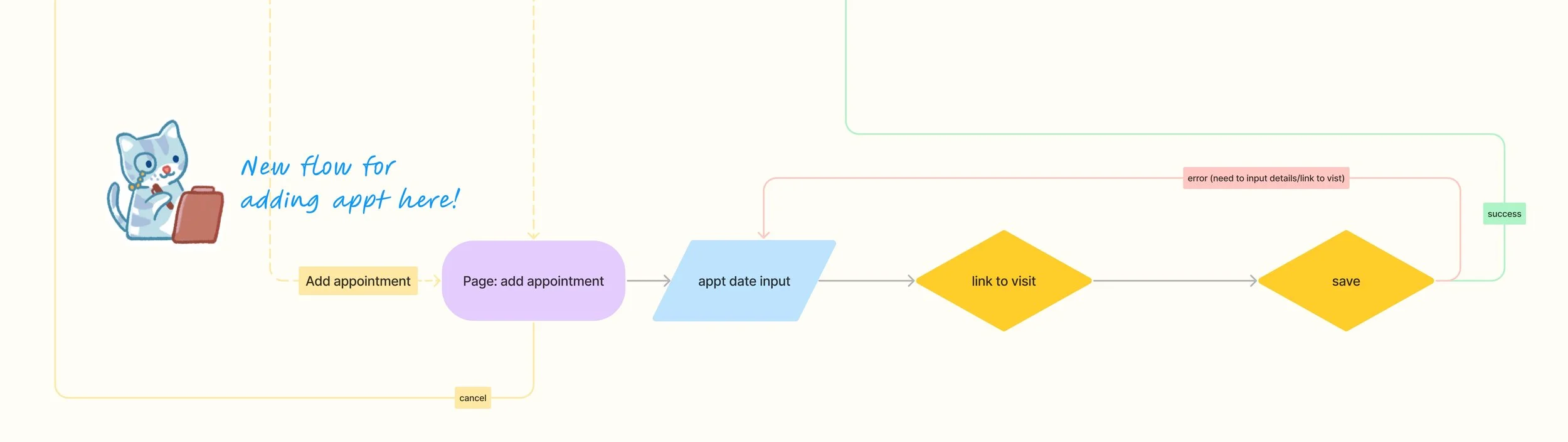
To accommodate the shift to patient-input appointments, this new flow was created for the calendar section
Once we settled our lofi design, we moved into mid-fidelity wireframes and basic prototyping to see how the app flowed. During this time, we also shared the prototype with members of the larger Creative and PM teams. The PMs in particular had really valuable insight into tools that clients had been looking for, such as e-diaries, symptom trackers, and gamification.
After looking at company feedback, I compiled a list of adjustments, and met with our creative director and developers to determine how we wanted to incorporate any additional features. Due to the time constraints, we agreed to hold off on adding more features to the MVP, but be cognizant of needing to include them in the future. Mindful of this, I redesigned the bottom navigation bar to be more modular.
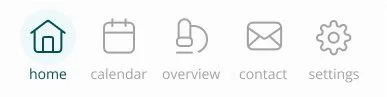
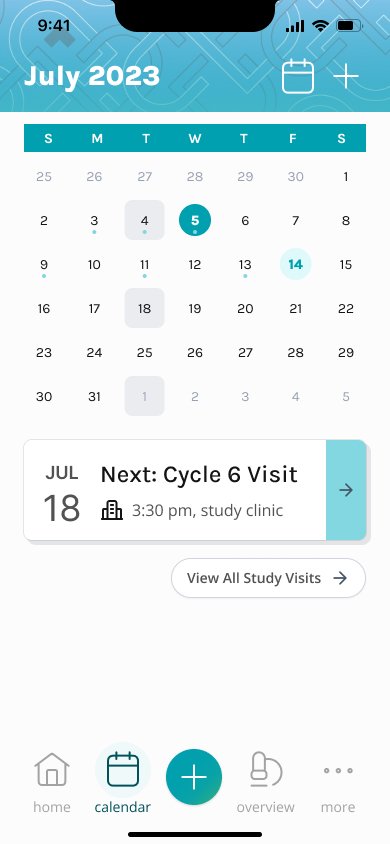
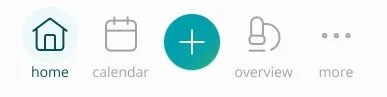
redesigned navigation bar
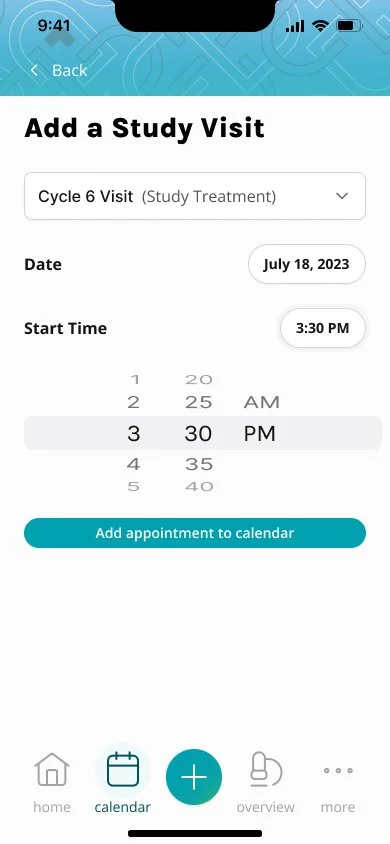
In the redesigned version, I added a “more” option, where we could include any add-ons to the app, and tuck some of the pages that weren’t as central to the app experience, such as the settings and contact pages. I also added a “+” button to the center of the screen. In the MVP, this would allow a user to quickly add their next appointment to the calendar. This also allowed for flexibility in future versions though, with the option to quickly add a diary entry, or log symptoms.
In the high-fidelity stage, our team considered how we would customize the visuals of the app for any study team that chose to add the app to their available tools. Many clinical research studies have branding, whether it’s a simple color scheme, or a logo with an advertising concept and branding elements. The QD Connect app needed to be quick to produce and customize for any study. We opted not to match the typeface to individual study branding, instead focusing on other visual branding such as color. We set up variables in Figma to be easily updated with each study’s color palette. In addition, the app also has several areas were background banner elements can be changed to match each study.
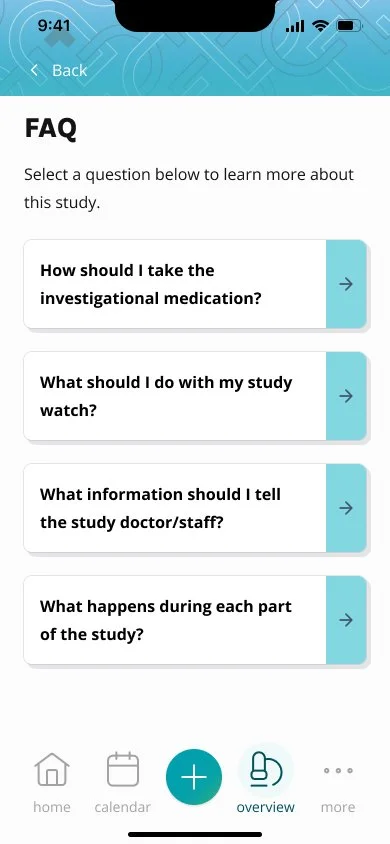
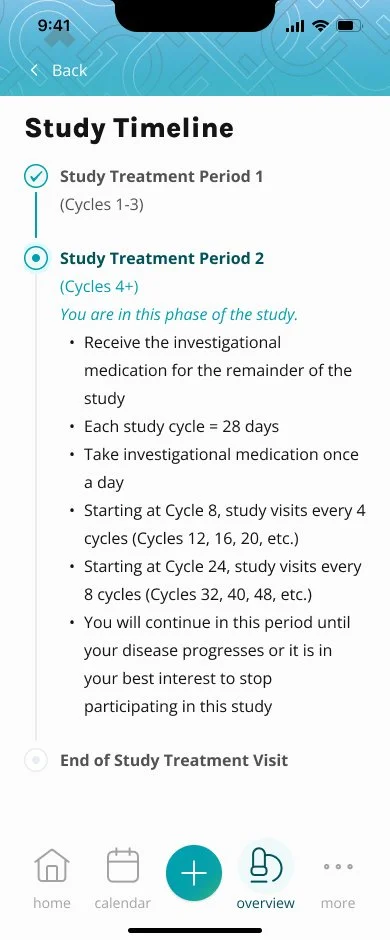
high fidelity screens: the teal color scheme and banner graphic are set up to be quickly updated using Figma’s variables, so that branding may quickly be adapted for each study
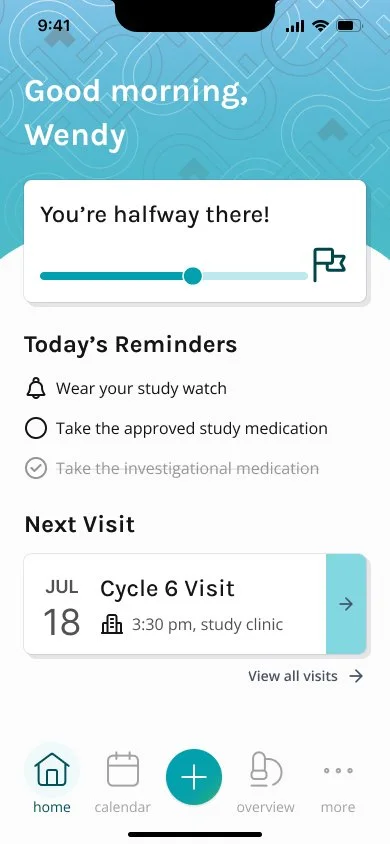
After many small tweaks, prototyping, and internal testing, the final version of the MVP was handed off to the development team in 2025. As of early 2026, the app is in final QA stages on iOS, the early stages of Android development, and being pitched in budget and capability presentations to clients.
Results
Impact
The final impact of the QD Connect app is to be determined, however impact can be seen in:
Adding an additional product offering to our clients, met with high interest, generating high potential revenue for the agency
Developing efficient processes across design, development, and copywriting teams that will benefit not just the app, but overall operations
Establishing a foundation for future features of the app to build upon.
Takeaways
Guiding the QD Connect project contributed to huge growth in my own leadership and design skills. I gained skills in managing a team, working closely cross-functionally, and collaborating with leadership to balance business needs and team capabilities.
Because development ultimately began after design was considered complete, the app’s creation was met with unforeseen technical constraints and timeline issues. Although there may always be new priorities that appear, if I were to approach this project again, I would:
Clarify stakeholder timeline expectations and priorities
Advocate more strongly for development to happen in stages alongside design, using shorter sprints or cycles
Spend more time fine-tuning the UI after seeing it in development
Despite shifting priorities and extended timelines, this project strengthened my ability to lead amidst ambiguity, balance stakeholder input, and maintain a user-centered mentality among competing design demands.